Checklists turn your Vault from a shared folder into a collaborative workspace. Create tasks for files, deliverables, or anything you need to track; assign them to the right people; and let Lev keep everything moving.
Share a Vault with brokers, borrowers, lenders, attorneys, title companies—anyone in your Network. Assign tasks to those parties. Send one file-request email and Lev includes every task assigned to that person. They can use the Vault to upload and comment, or reply to the email with attachments. Either way, Lev classifies files with AI, matches them to tasks, and updates status.
Every task keeps a full activity thread: created, requested, replies, attachments, matches, reminders. That history is the source of truth for each document on the deal.
Create tasks for anything
A Checklist is Sections (for example “Financial Docs,” “Legal”) and Tasks (each item you’re tracking).
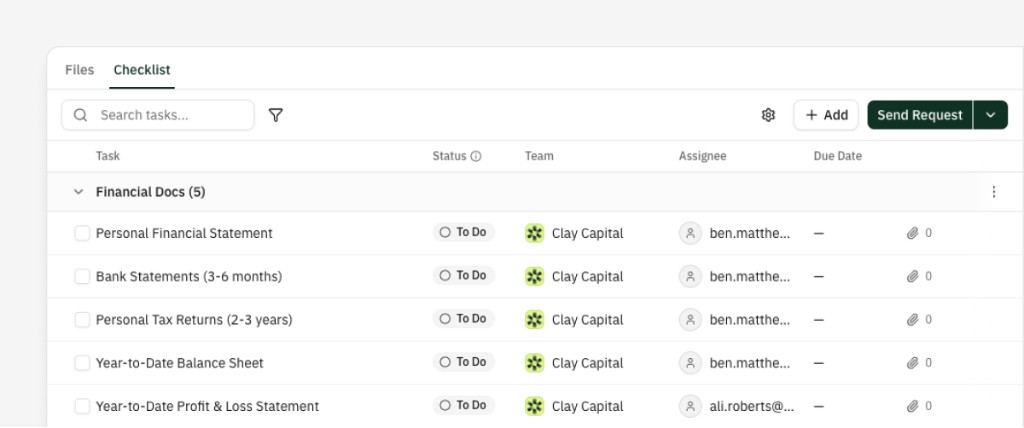
For file-oriented tasks, set the expected File type (for example Personal Financial Statement, Rent Roll, Tax Returns) so Lev knows what to match when files arrive. Add Team, Assignee, Due date, and Subtasks when you need them.
Start from scratch or apply a template—Lev includes Master Templates by property type (Multifamily, Office, Retail, Industrial), and you can save your own.
Share and collaborate with anyone
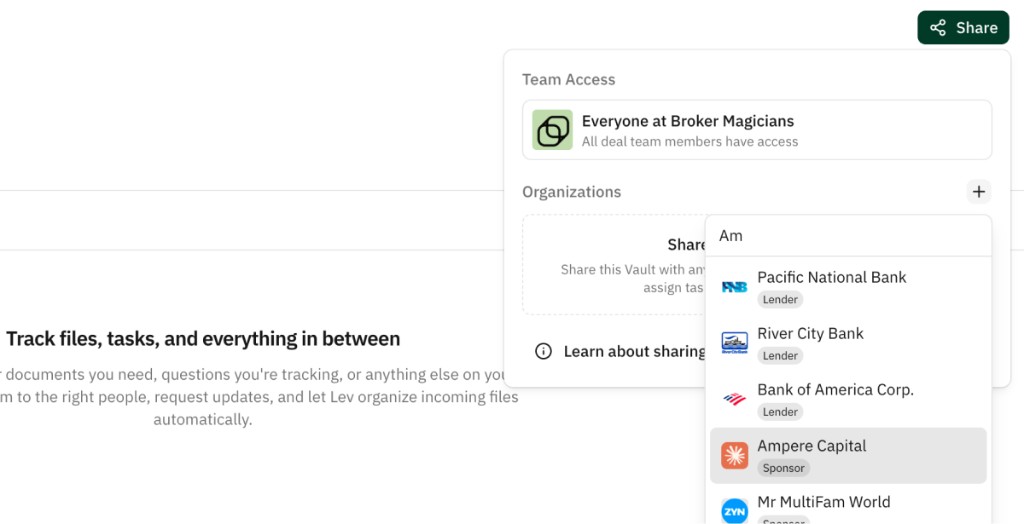
Checklists live inside Vaults. Share a Vault with any company in your Network so borrowers, lenders, counsel, and others see the Checklist next to files.
- Full access — Upload, attach to tasks, comment.
- View only — See status and download files; no edits.
Each party gets a dedicated link with the access model you choose (public, company-verified, or invite-only). You can change permissions anytime. More detail: Vault Link Settings.
Lev does the work — automation and AI
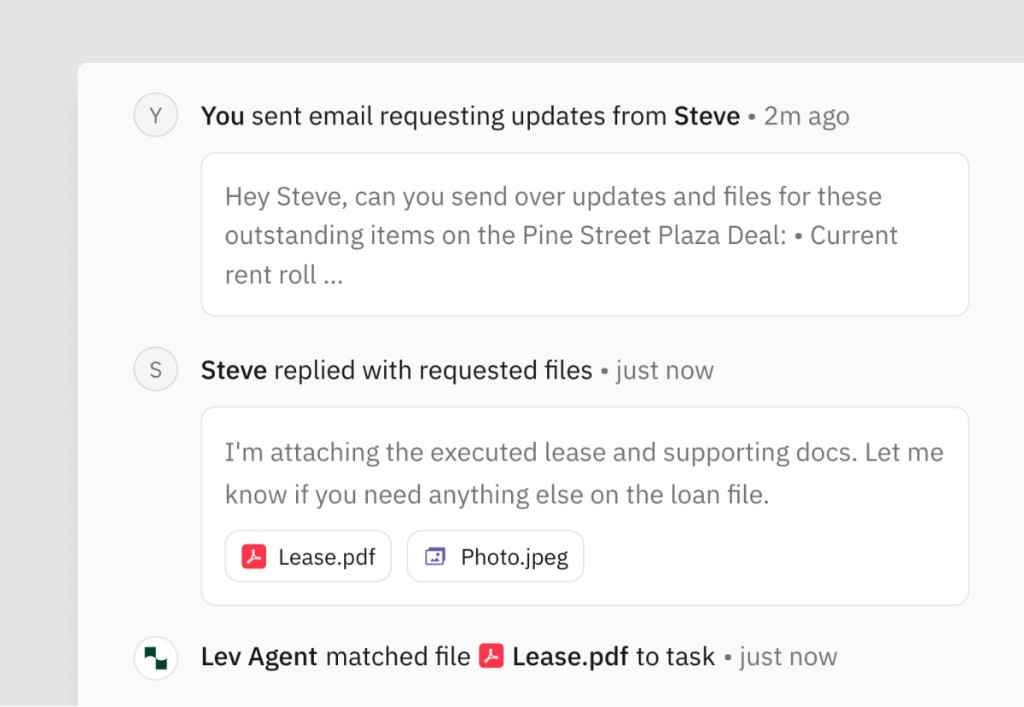
Automatic classification — Uploaded files are analyzed so you’re not manually tagging every PDF.
Automatic matching — When a classified file fits a task’s expected type, Lev can attach it—whether it came from upload, email reply, or a guest.
Automatic statuses — For example: Requested after a file request sends; Reviewing when a matching file is attached (you still control approvals).
Activity tracking — Each task shows the full timeline: requests, email, files, matches, reminders, status changes, comments.
Request updates and keep everyone on track
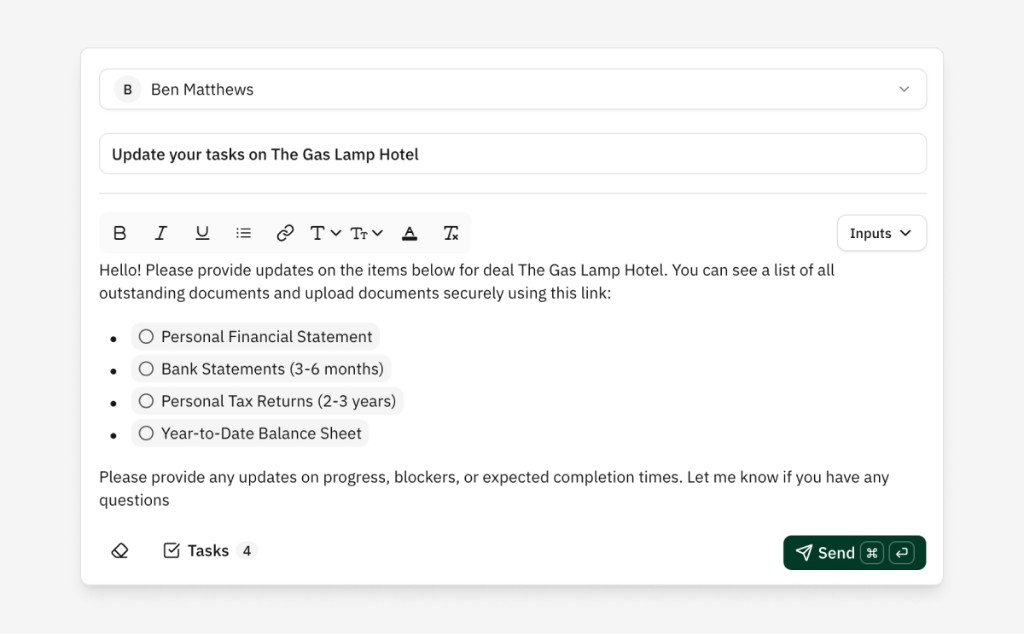
Click Send request on the Checklist, choose who you’re nudging, and Lev builds an email that lists their outstanding tasks. Edit the message, add CCs, send.
Recipients get mail from your address with a Vault link and the list. They can upload in the Vault or reply with attachments—Lev ingests, classifies, matches, and updates tasks.
Follow-ups — Optional reminders in the same email thread so they read like a normal nudge, not a system ping. Configure cadence and limits under Send request → Manage alerts & reminders. Past due dates can switch to an overdue template.
Digest emails — Periodic summaries (daily, weekly, or monthly) for your deal team: overdue, due this week, completed, and still open—per Vault when tasks are active.
Best uses for Vault Checklists
Borrower intake and onboarding — Before marketing, collect tax returns, statements, rent rolls, org charts, insurance, etc. Use an intake Vault, apply a template, assign the borrower, send one request, turn on follow-ups. Replies and uploads flow into the Vault with tasks updating as files match.
Closing and due diligence — One workspace for lender counsel, borrower counsel, title, consultants, and brokers: assignments, due dates, uploads, and an audit trail without a separate closing-only tool.
Lender due diligence — Per-lender Vaults (or a shared one) with tasks for each request; pull files from your intake Vault as you satisfy items.
Any external collection — Whenever you need files or deliverables from outside your org, a Checklist structures the ask and the paper trail.
Set it up once. Check back when it’s done.
Typical flow: new deal → intake Vault → template with dozens of tasks → assign borrower → Send request → follow-ups on. They email files and use the link; Lev classifies and matches. When you return, files sit in the Vault on the right tasks with full history—then you choose what to push to a Deal Room or lender-specific Vaults.