Introduction
Lev Memo makes it very easy for you to upload documents, data, and photos to power your Memo. We extract all of the facts from your document and use them as the primary source for your document. The better the inputs, the better the outputs!
Better data uploaded yields a better Memo output.
- Sources and Uses
- Underwriting / Financial Model
- Operational Financial Data (T-12, Rent Roll, Performa, Budget)
- Sales and Lease Comparables
- Property Photos / Renderings / Floor Plans
Where to Upload Documents
Uploading when you create the deal is the recommended path: processing starts right away and usually shortens Memo turnaround.
When you create a deal. Go to the Lev Platform and click create a new deal in the left sidebar.
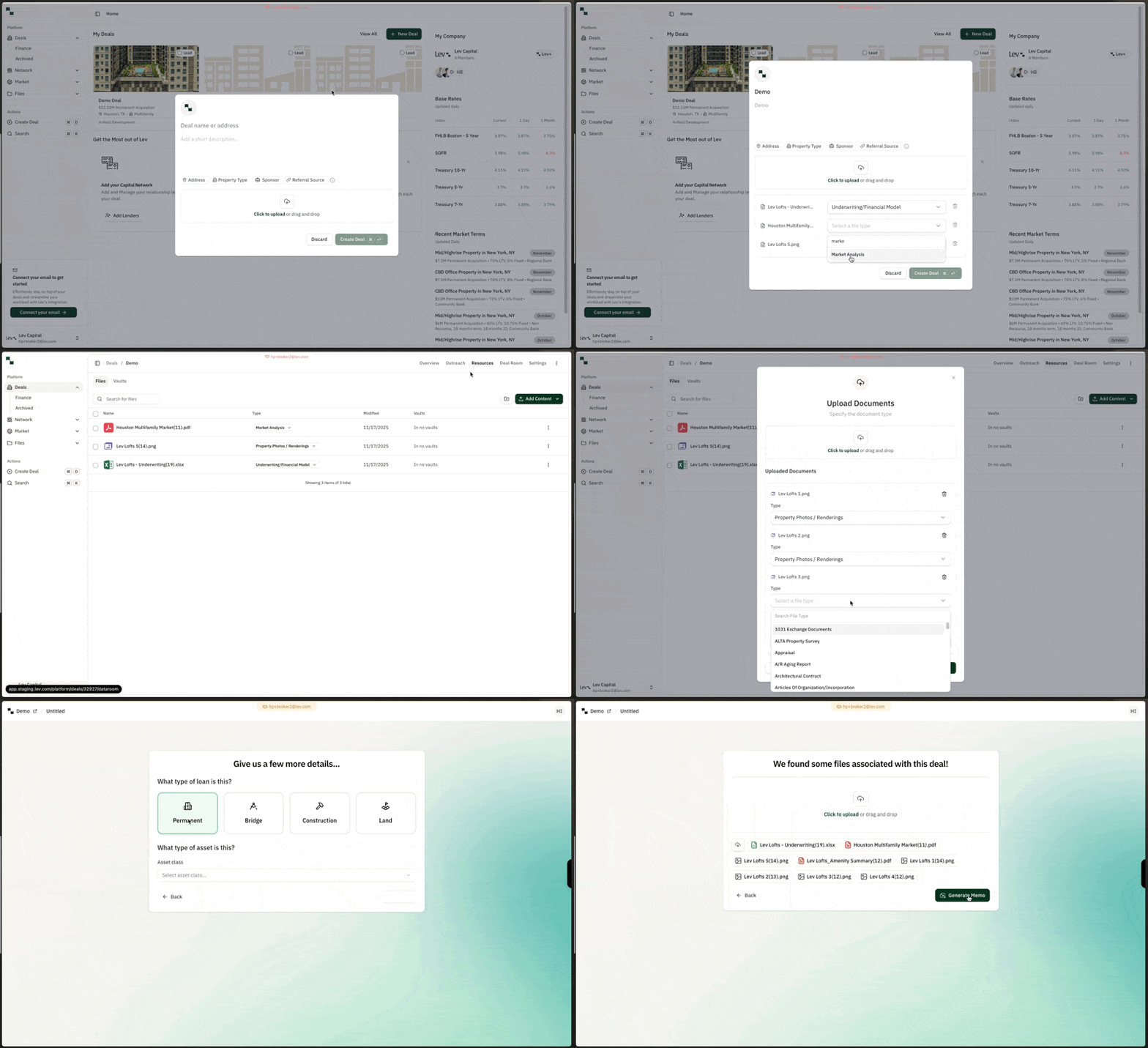
From a deal’s Resources tab. Open any deal, go to the Resources tab (top right), then click Add content.
Inside Lev Memo. Create a Memo from a deal and continue through document type selection. Files already on the deal are pulled into Memo automatically; add any other files you need for generation.
Uploading Documents
- Photo files (JPG, JPEG, PNG, and similar)
- Standard documents (.doc, .docx, PDF)
- Excel files
Upload Process
- Upload as many documents as you want (use Ctrl + click on PC or Cmd + click on Mac to multi-select).
- Choose file types where prompted, then upload.
FAQ
Can I upload more than 1 document at once?
- Yes! You can click on multiple documents at once for upload. Hold down the Ctrl (PC) or Cmd (Mac) key while clicking to select multiple files.
Can I choose which documents are used for which sections?
- Not today, but we hope to support this in the near future!
What happens if I update / delete an uploaded document?
- Unfortunately we do not automatically detect any changes to uploaded documents in Lev Memo today
- You will need to delete the original file from your deal, re-upload the document, and then recreate the Memo again.
Can Lev Memo connect to other CRE data sources?
- Not today, Lev Memo creates Memos primarily based on your documents. We are looking to explore this in the future.