Introduction
You can publish and share your entire Memo with lenders in the Lev Platform and/or download the Memo to share in your preferred format.
Only Published Changes are Visible to Others
Anything that is unpublished will not appear in the latest download or in the published version shown to lenders in the Lev Platform
Publishing a Memo
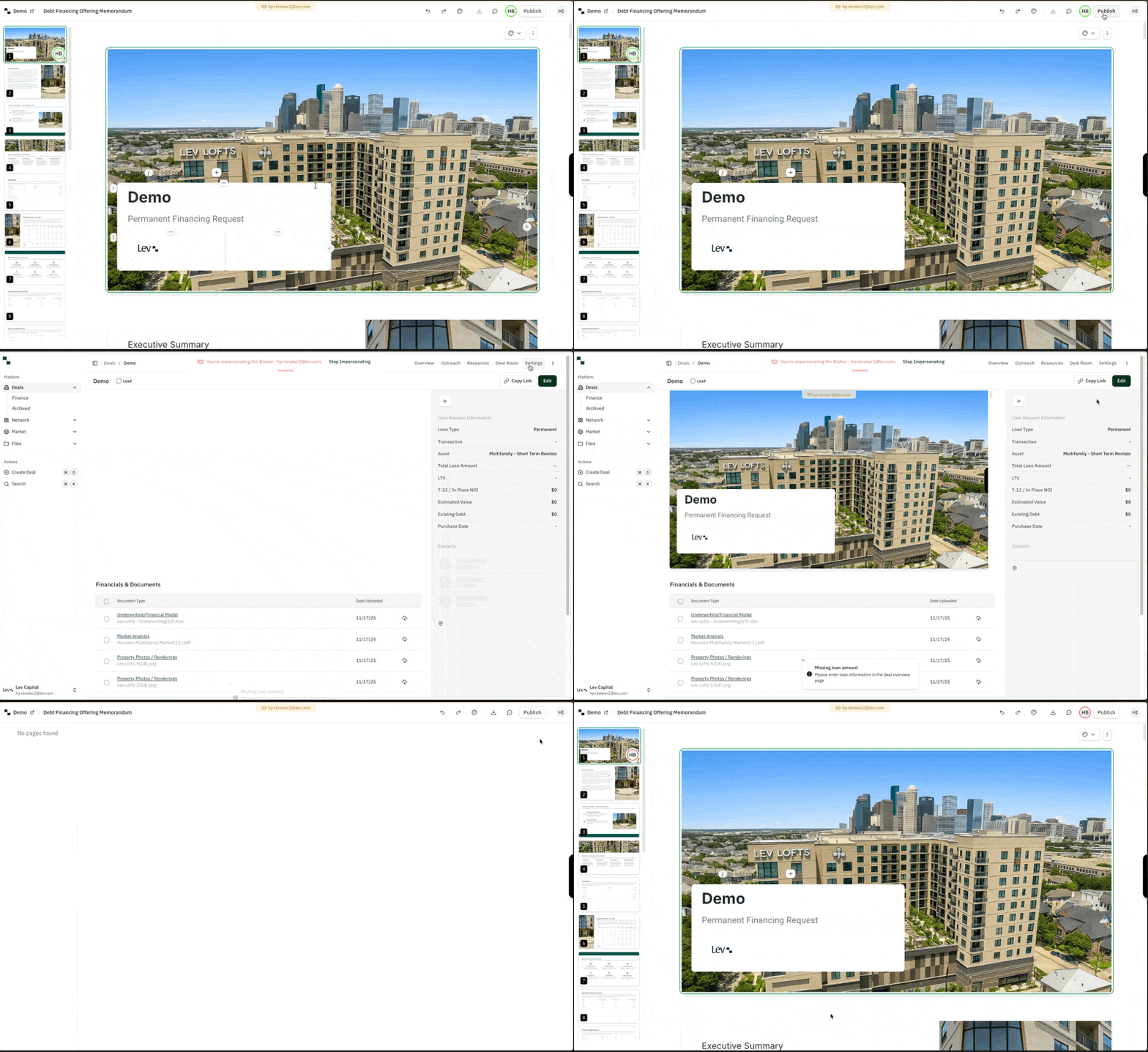
- Click on the Publish button at the top-right of the screen
- You will be automatically navigated to the deal room in the Lev Platform
- Share this deal room with any lender via the Lev Platform!
Downloading your Memo
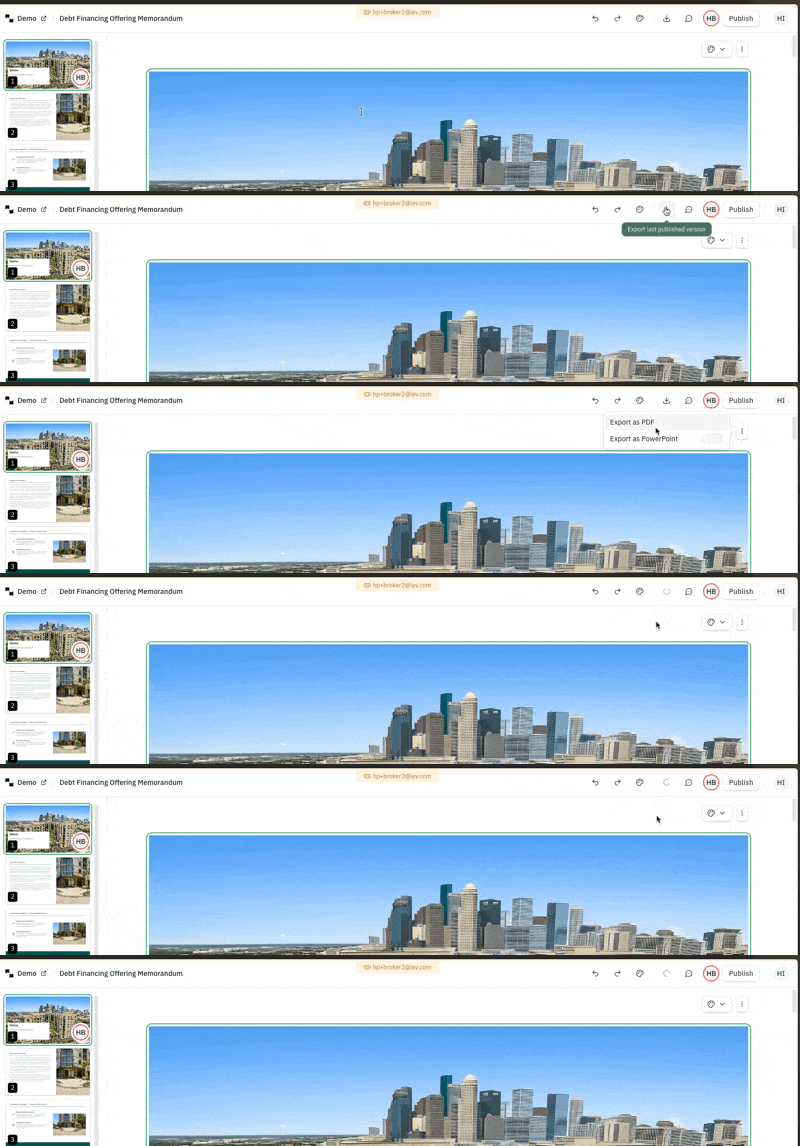
- Publish your Memo following the steps above (You cannot download an unpublished Memo)
- Click on the download icon in the top right corner of the screen
- Choose between your preferred format:
- PDF - full support
- Powerpoint - In beta, may have issues with fonts and font spacing
Sharing with Lenders
Share your published memo with lenders through Vault:
- From the Deal Room Vault, click Share in the top right corner
- Select the lender you want to create a unique link for
- Click the chain icon to copy the unique link
- Share the link via email or include it in your outreach
Tracking Engagement
After sharing, track how lenders engage with your memo:
- Views by recipient — see which lenders opened the memo
- Time spent viewing — gauge lender interest level
- Pages viewed — understand which sections attracted attention
- Downloads — track PDF and PowerPoint downloads
Use PDF for formal submissions. Use live links for initial outreach — they update automatically as you make changes. Monitor analytics to prioritize follow-ups with the most engaged lenders.
FAQ
Can I edit my Memo after it's been published?
Yes! You can navigate back to the Memo using the edit Memo button in the deal room or by clicking into your Memo in your deal's resources tab.
Why are my edits not showing?
You have to publish your latest edits. Make sure to go back into your Memo and publish those changes.
Why is my download not working?
Sometimes it can take a while to download your document, especially if there are many slides and images. We recommend trying again a couple times and if that does not work, then reach out to our support team.