Learn how to create and configure a new deal on the Lev platform.
Getting Started
Start by accessing the Lev platform dashboard where you can create new deals.
Access the Dashboard
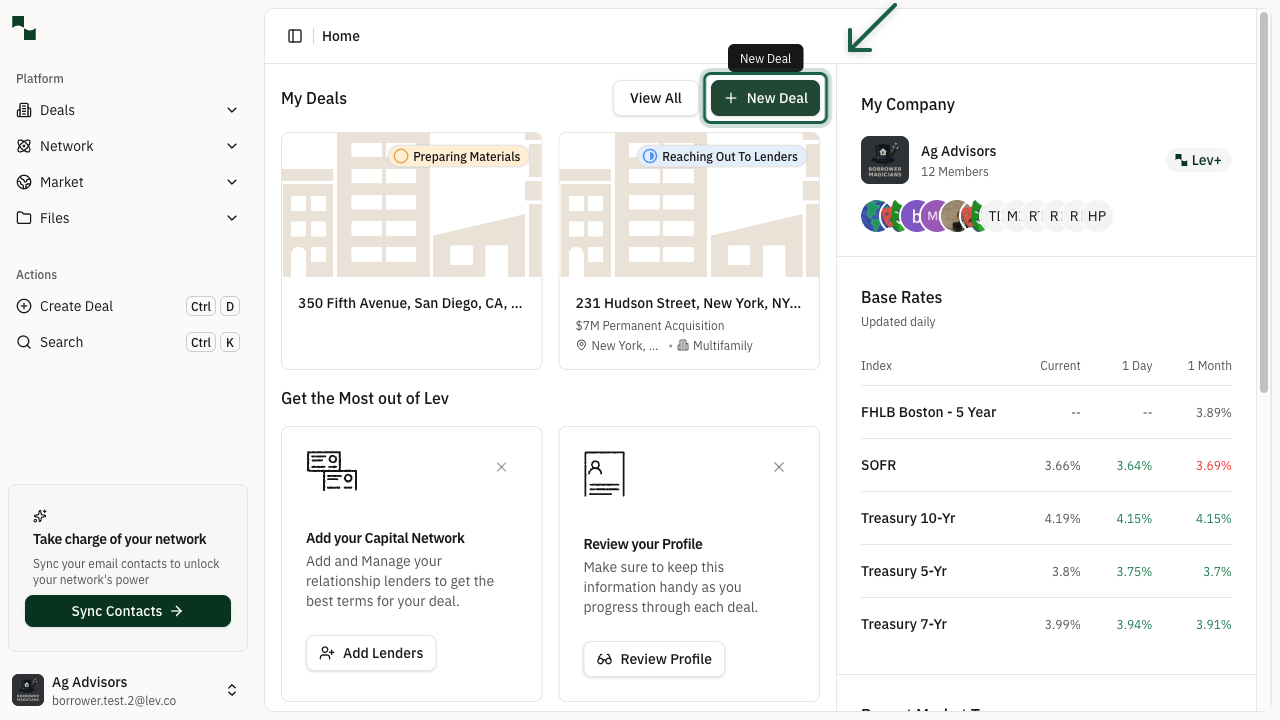
Navigate to the Lev platform. From the dashboard, you'll see the Create Deal button in the top navigation.
Open the Create Deal Modal
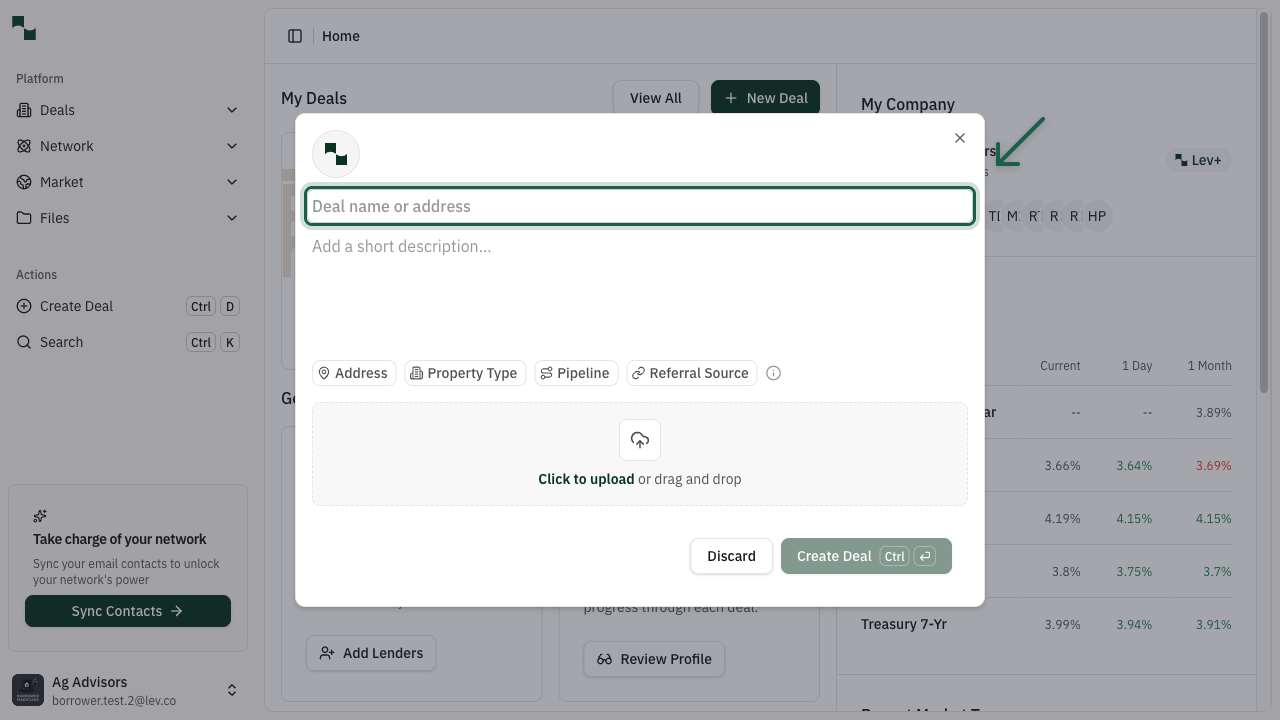
Click the Create Deal button to open the deal creation dialog. The first step is to enter the property address.
Enter Property Address
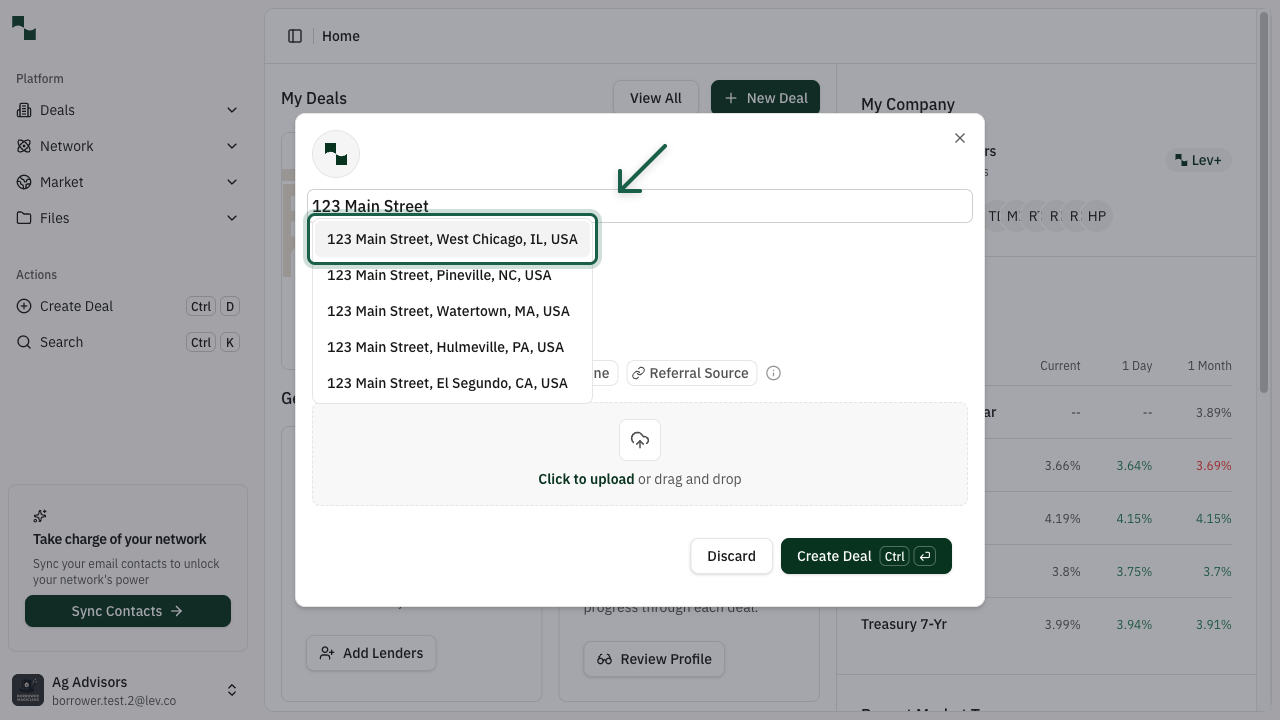
Start typing the property address. The system will show address suggestions as you type. Select the correct address from the dropdown list.
Create the Deal
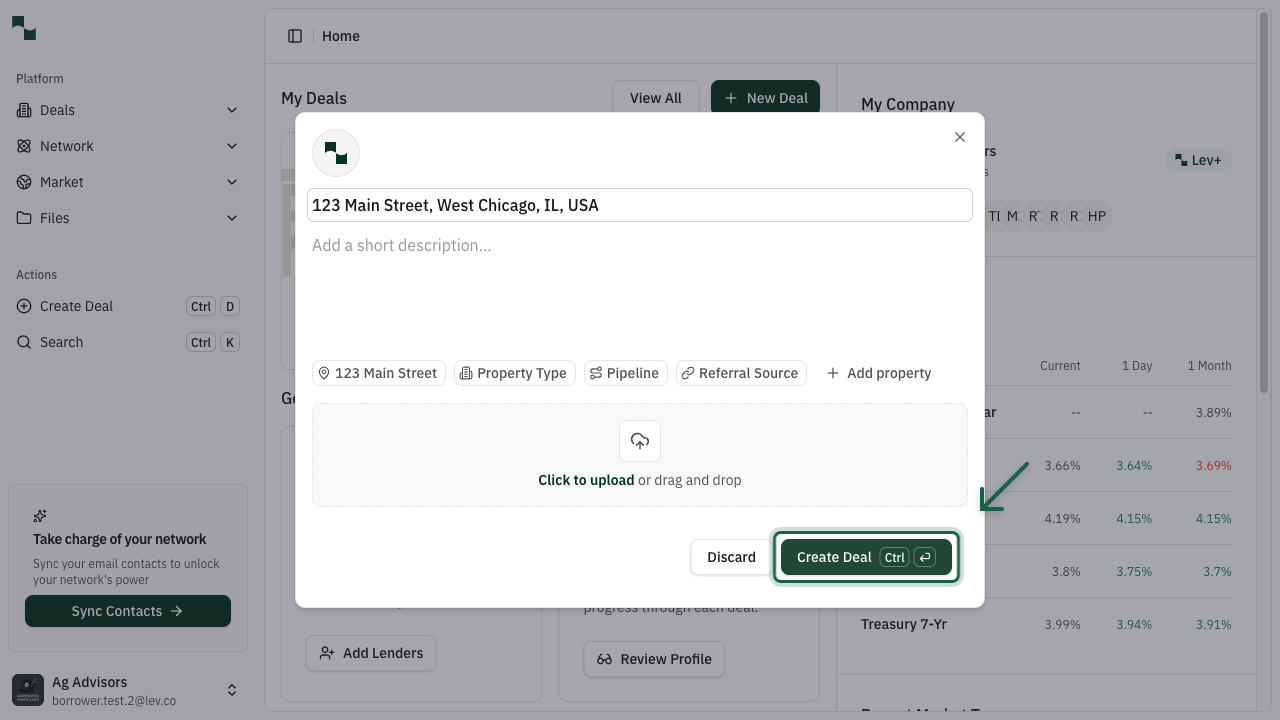
Once you've selected the address, click the Create Deal button to create your new deal.
Property Details
After creating the deal, you'll be taken to the Deal Overview page where you can complete the deal configuration.
Review Deal Overview
The Deal Overview page shows all the information about your deal. You'll see Suggested Next Steps that guide you through completing the deal setup. Click Complete Basic Deal Information to continue.
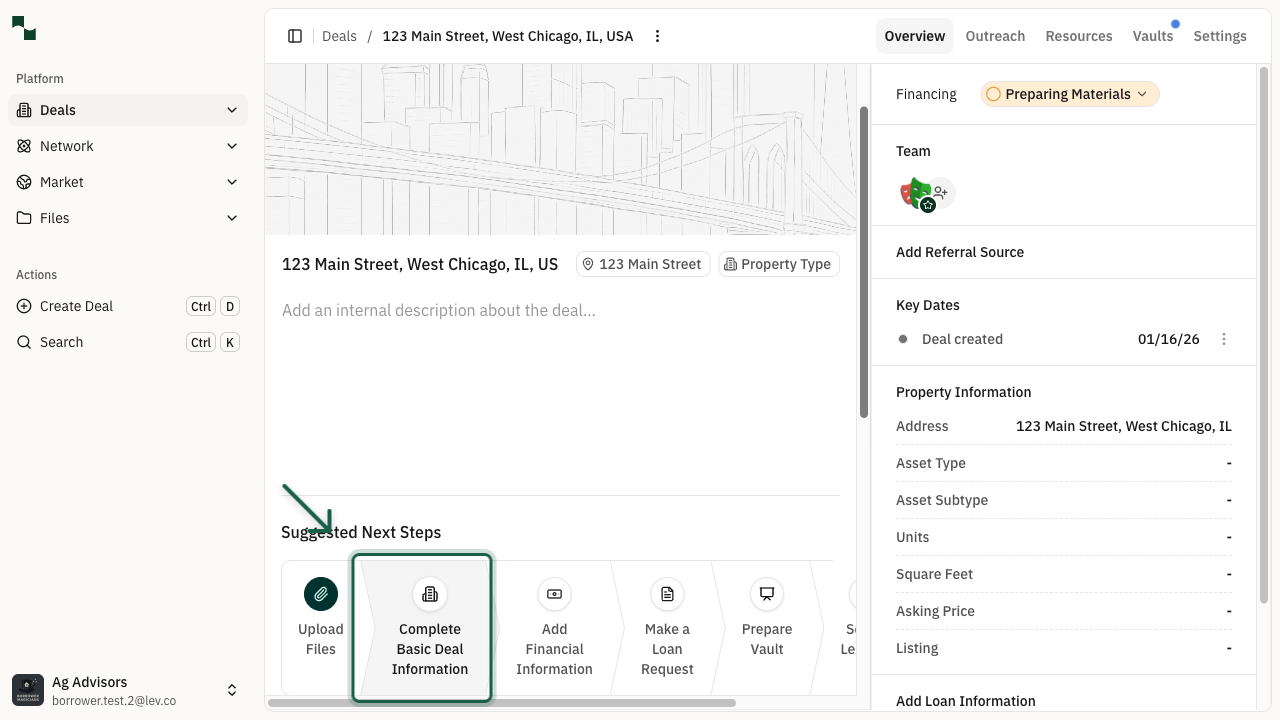
Complete Basic Deal Information
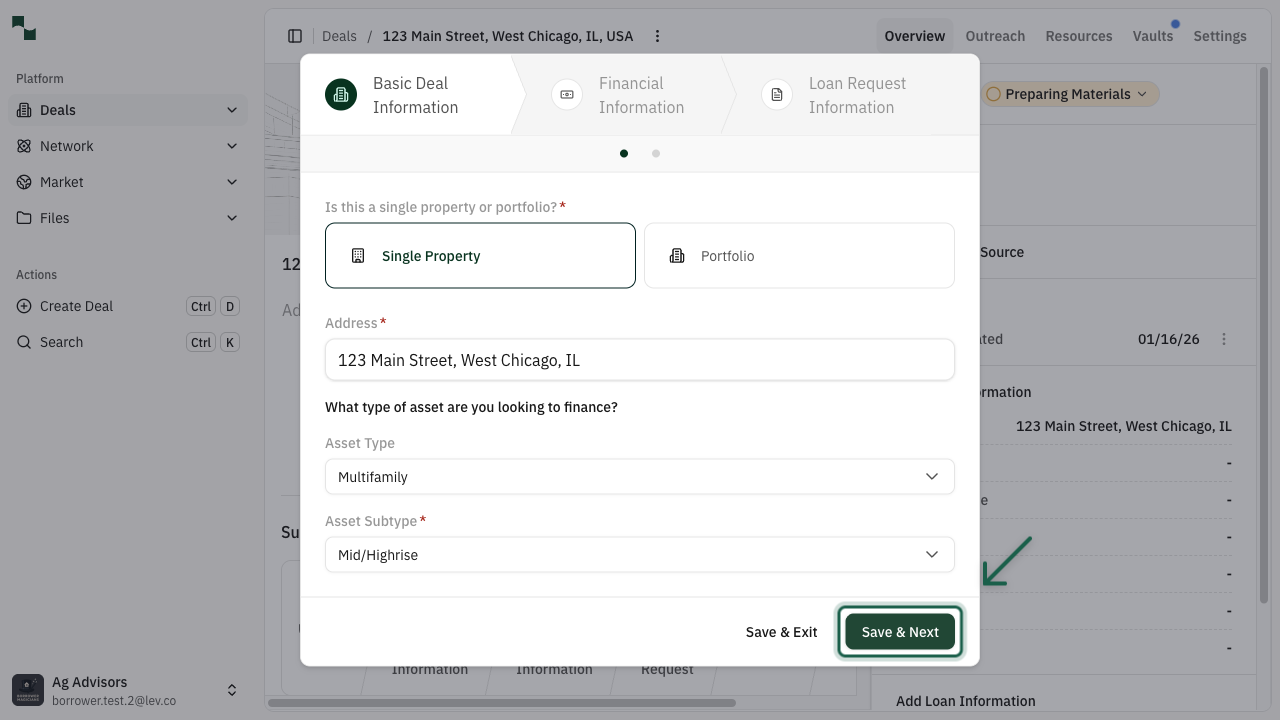
The Basic Deal Information dialog opens. Here you'll configure your property details. Start by selecting the Asset Type from the dropdown.
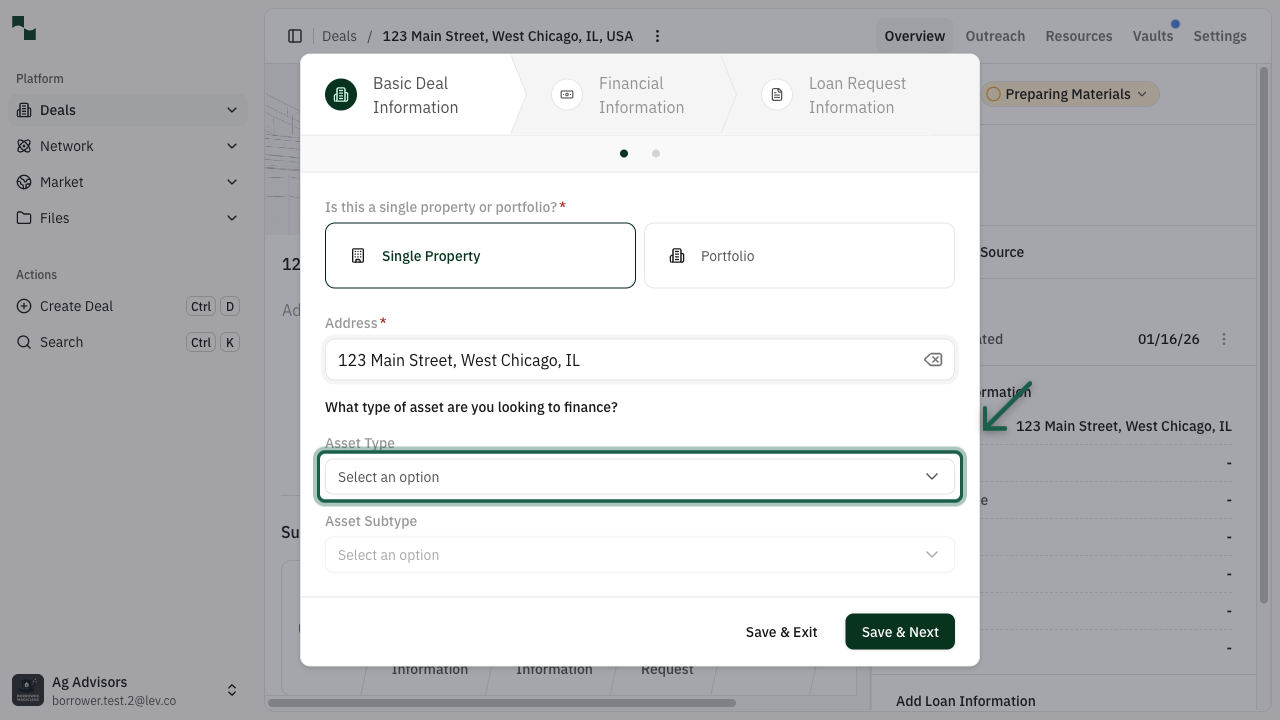
Select Asset Type
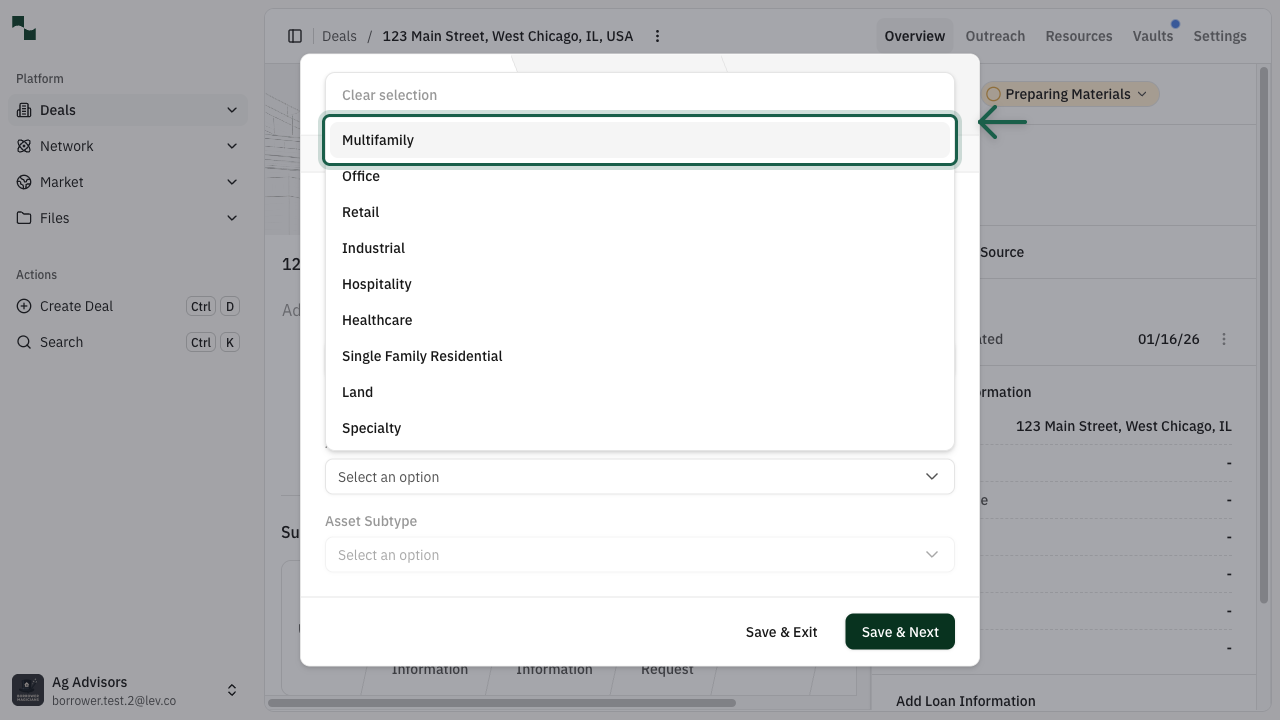
Choose your property's asset type from the available options:
- Multifamily - Apartments, student housing, senior living
- Office - CBD, suburban, medical office
- Retail - Shopping centers, single tenant, malls
- Industrial - Warehouses, flex space, manufacturing
- Land - Development sites, entitled land
- And more...
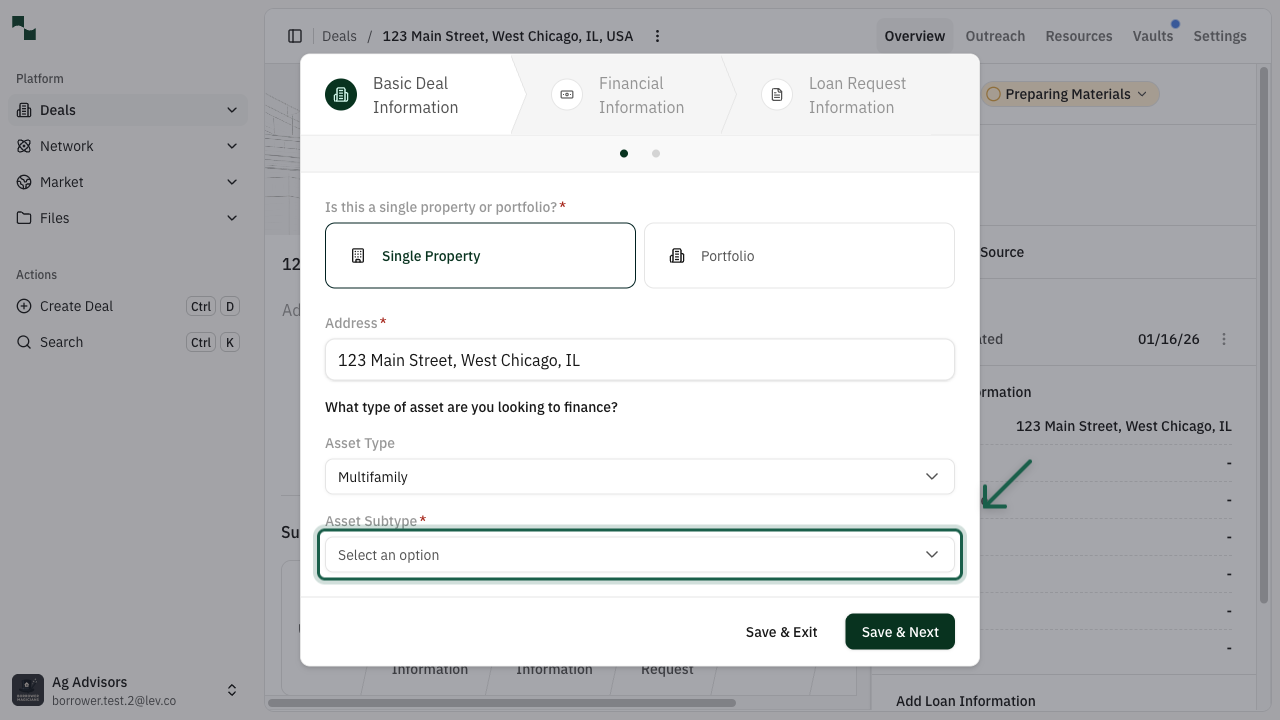
Select Asset Subtype
After selecting an asset type, choose the appropriate subtype. The available subtypes depend on your asset type selection.
Save and Continue
Once you've selected the asset type and subtype, click Save & Next to proceed to the next step.
Deal Configuration
Configure your loan preferences to help match you with the right lenders.
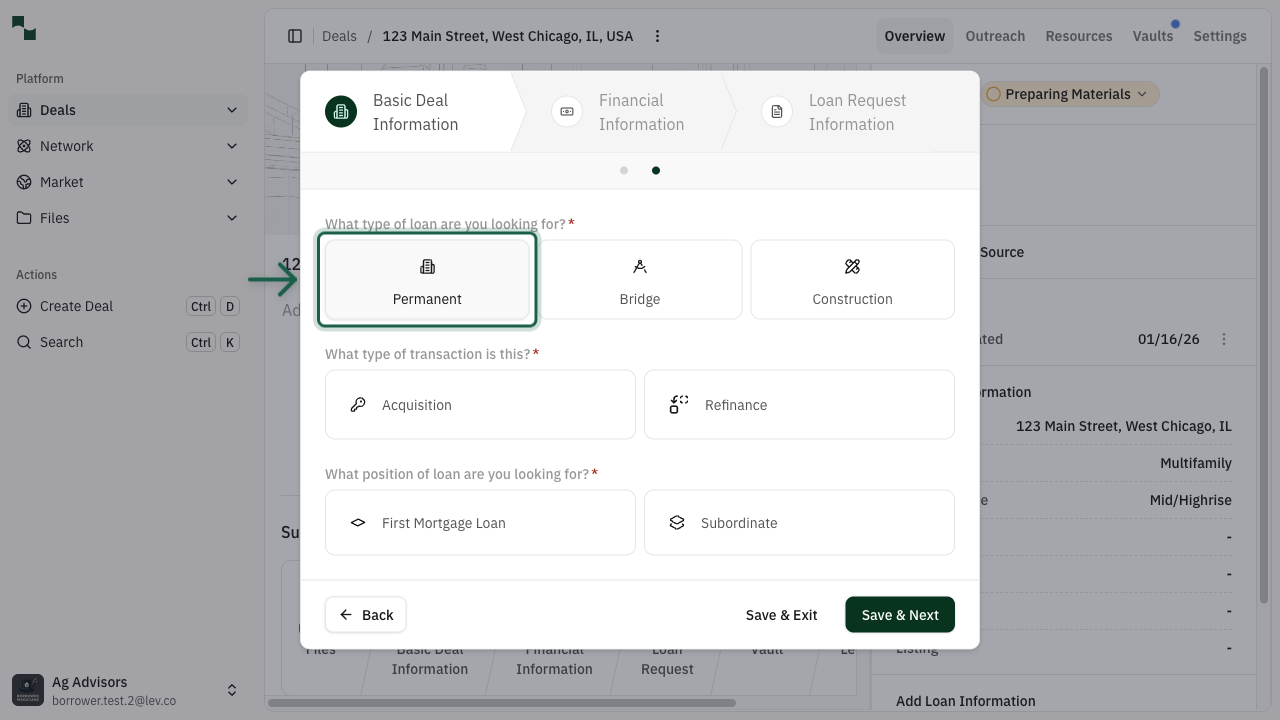
Configure Loan Type
Select your loan configuration options:
What type of loan are you looking for?
- Permanent - Long-term financing
- Bridge - Short-term financing
- Construction - Development financing
What type of transaction is this?
- Acquisition - Purchasing a property
- Refinance - Refinancing an existing loan
What position of loan are you looking for?
- First Mortgage Loan - Senior debt position
- Subordinate - Junior debt position
You're All Set!
You now know how to:
- Create a new deal from the dashboard
- Enter property address and details
- Select asset type and subtype
- Configure loan preferences
After completing the basic deal information, you can continue to:
- Add Financial Information
- Make a Loan Request
- Select Lenders
- Launch your deal