Learn how to create and configure a Land deal on the Lev platform, including loan type selection and financial information.
Getting Started
Access the Dashboard
Navigate to the Lev platform and log in to your account. From the dashboard, you can create new deals and manage existing ones.
Location: Platform > Dashboard
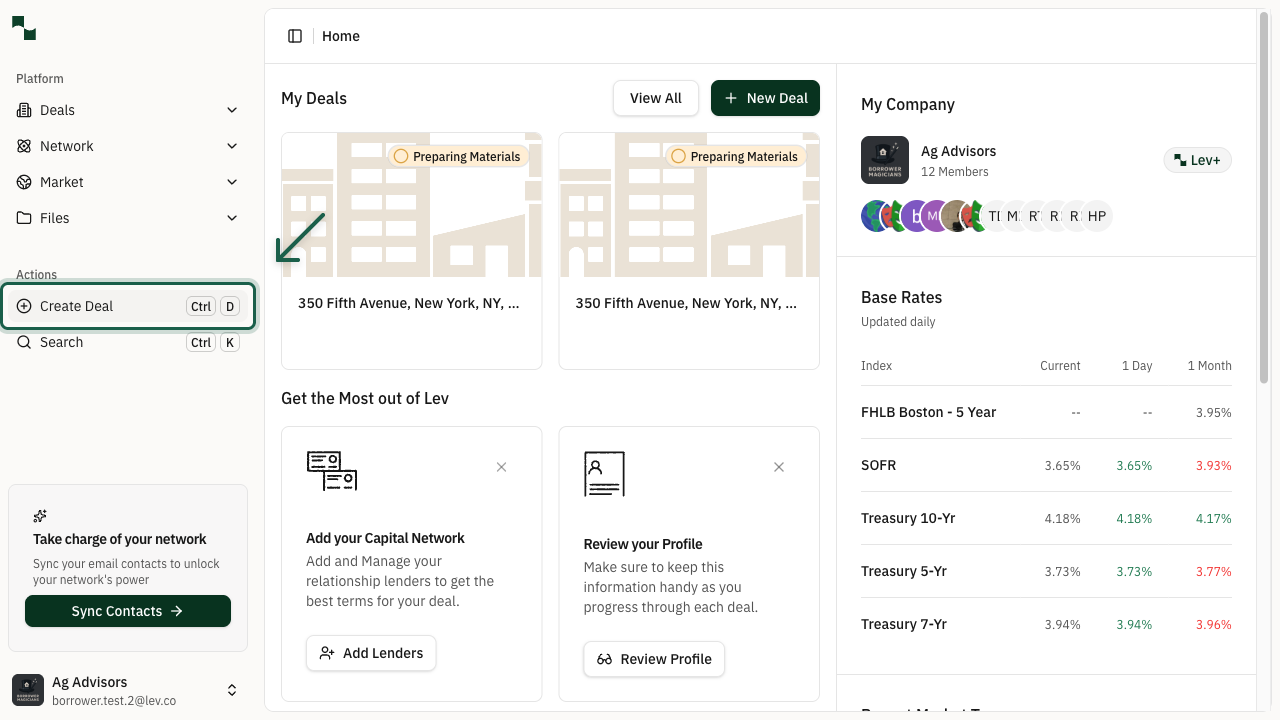
Click the Create Deal button in the left sidebar under "Actions" to start creating a new deal.
Open the Create Deal Modal
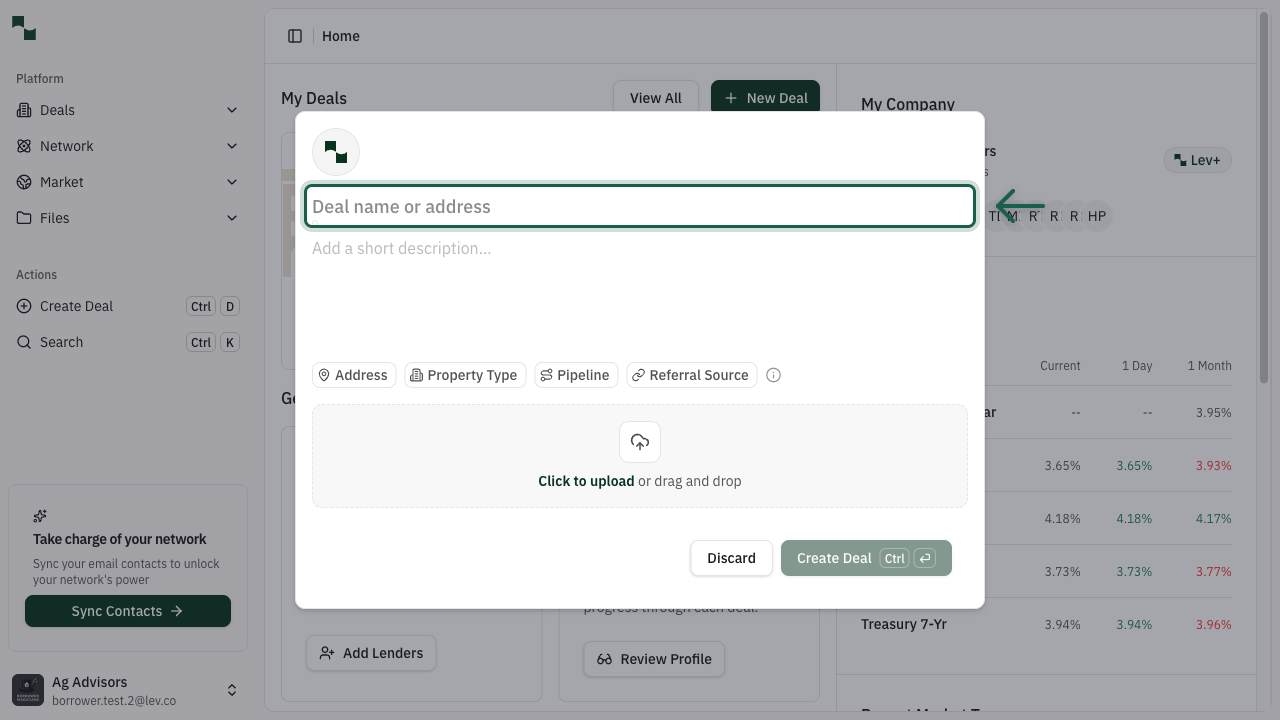
After clicking Create Deal, a modal window appears where you can enter the property details for your new deal.
The modal prompts you to enter the property address to begin creating your deal.
Enter the Property Address
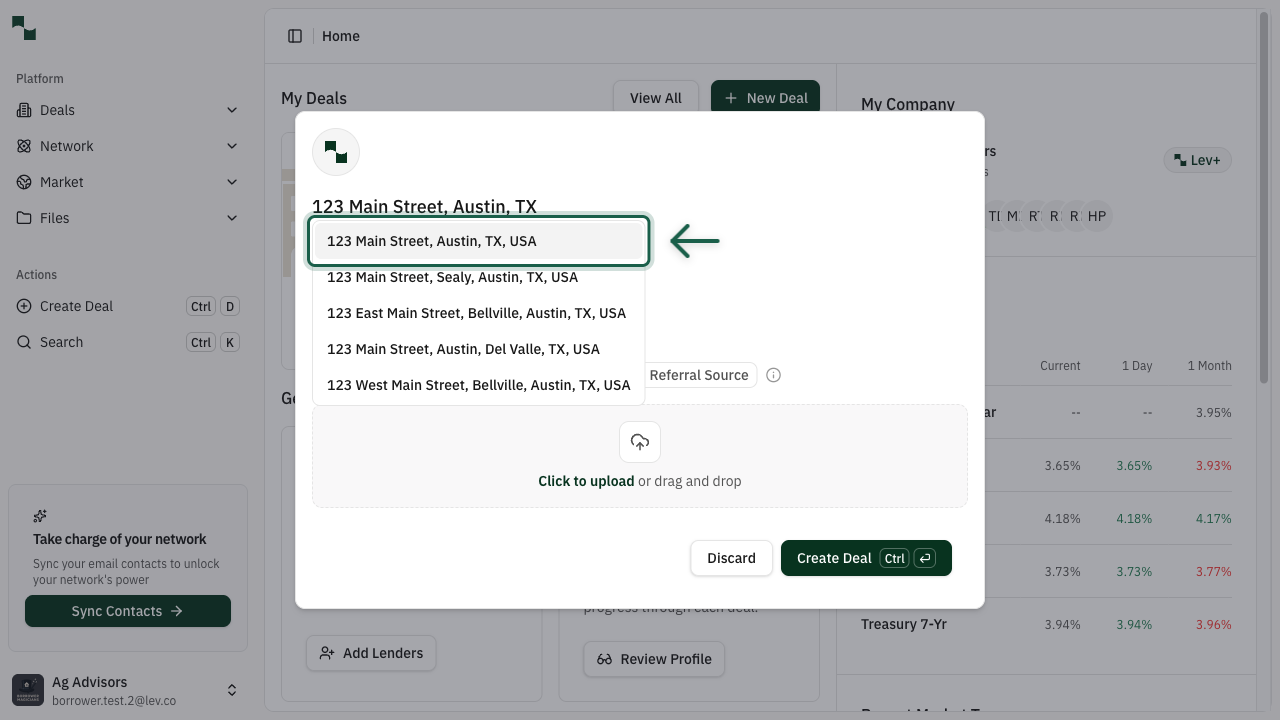
Start typing the property address in the address field. The system will provide address suggestions as you type.
Select the correct address from the dropdown suggestions to auto-fill the complete address details.
Create the Deal
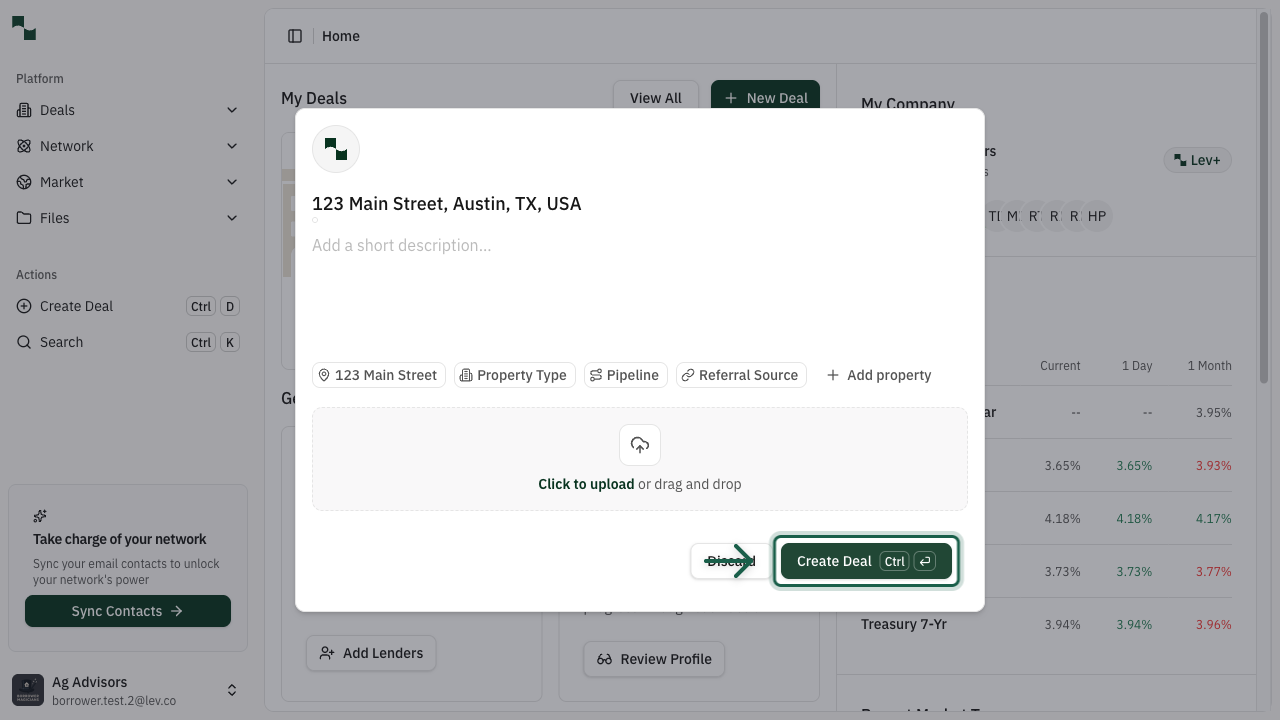
Once you've selected an address, the Create Deal button becomes enabled.
Click the button to create your deal. This will take you to the deal overview page where you can configure additional details.
Property Details
View Deal Overview
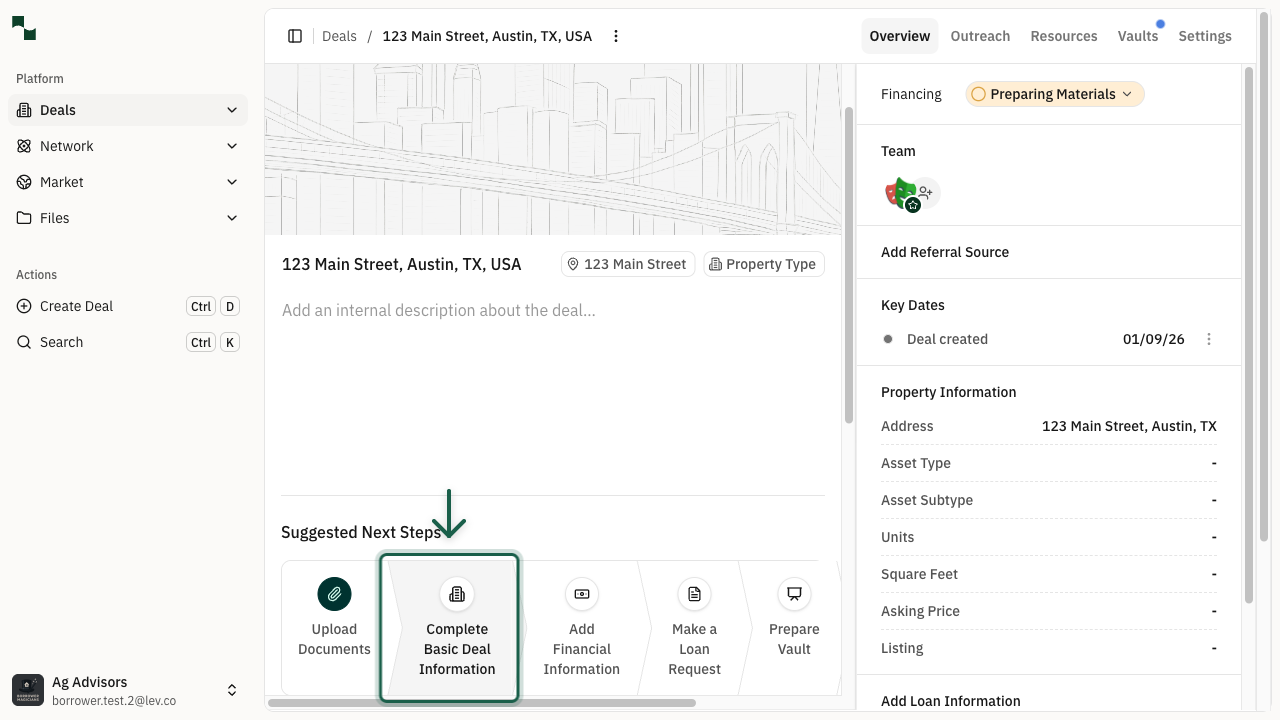
After creating the deal, you'll be taken to the deal overview page. This page shows all the information about your deal and provides suggested next steps.
Click Complete Basic Deal Information to continue configuring your deal.
Configure Basic Deal Information
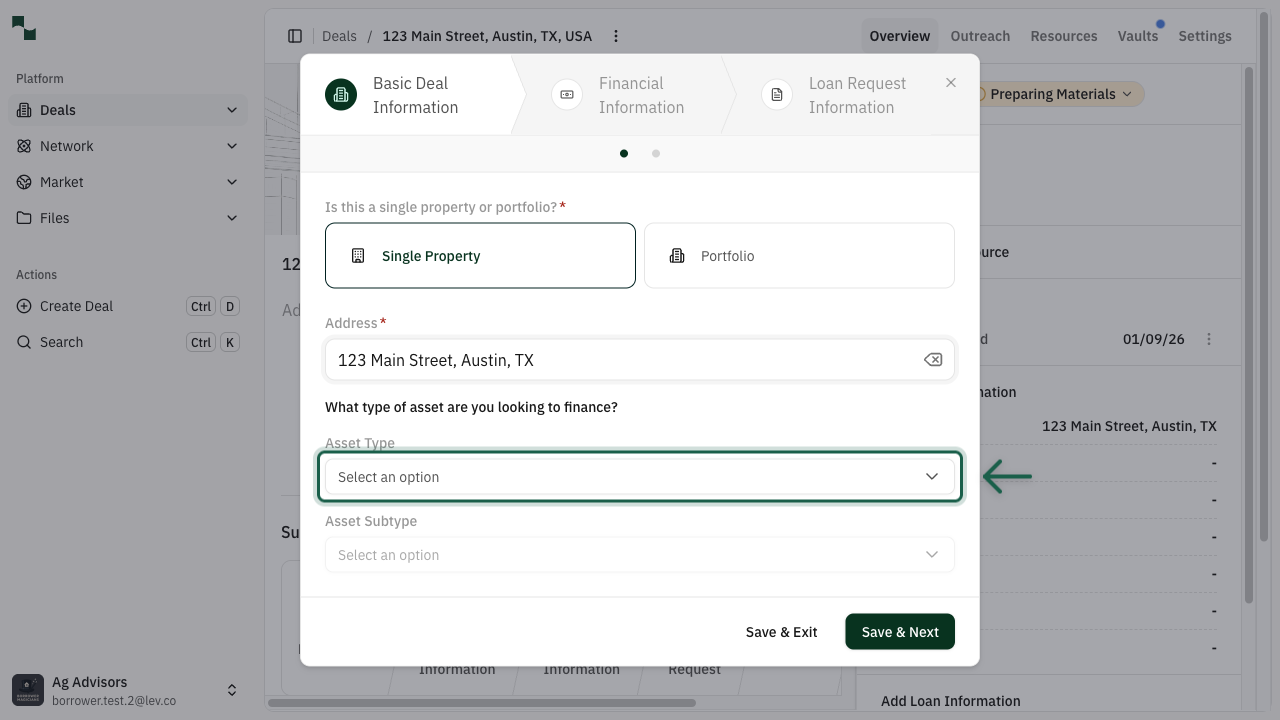
The Basic Deal Information dialog guides you through setting up your property details. This includes:
- Property Type: Single Property or Portfolio
- Asset Type: Select "Land" for land deals
- Asset Subtype: Choose Entitled Land or Unentitled Land
Loan Configuration
Select Loan Type
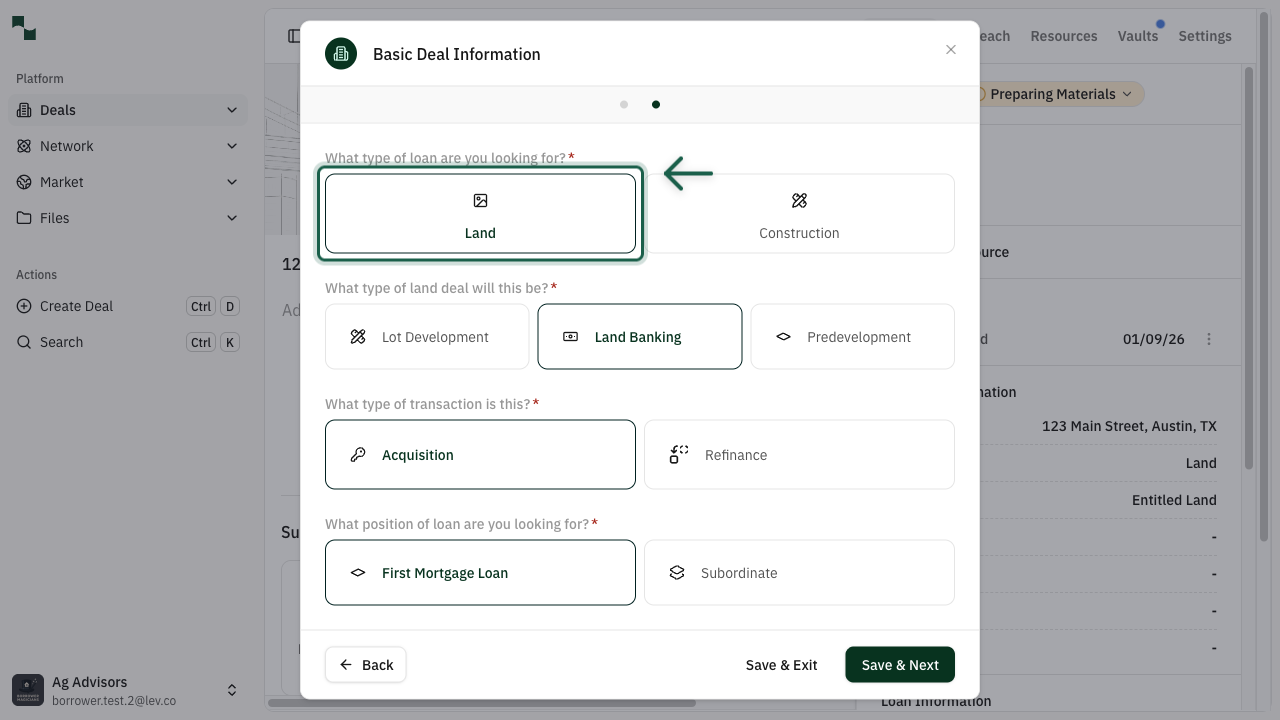
After completing property information, you'll select the loan type. For land deals, choose Land from the available options.
Select Land to proceed with configuring your land deal.
Choose Land Deal Type
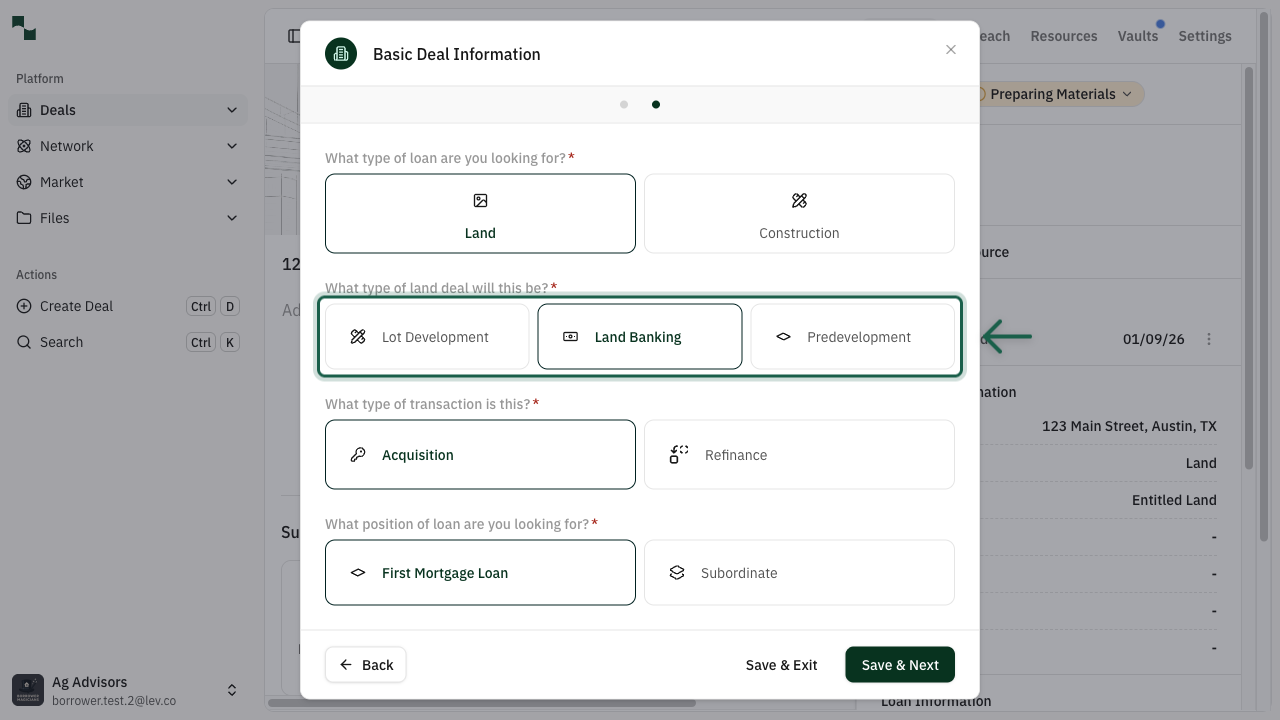
After selecting Land as the loan type, you'll choose the specific type of land deal. This helps match you with the right lenders who specialize in your deal type.
Land Banking
For deals where the loan is against a land asset for which there is no immediate plan for development. Usually a 50% LTV loan against the land value. Ideal for investors holding land for future appreciation or strategic purposes.
Lot Development
For deals where there will be near-term horizontal construction on the land (e.g., to prep lots for construction of single family homes). The lots may be built by the sponsor or sold to a builder who will ultimately handle the construction. Includes site work, utilities, and infrastructure.
Predevelopment
For deals where there will be future development in 12-24 months. The lender who currently holds the land loan will likely provide the construction loan once the project is ready to be built - the new construction loan will "take out" (replace and pay off) the existing land loan. Good for projects in entitlement or planning stages.
Understanding Land Deal Types
The type of land deal determines the loan terms, LTV ratios, and lender options available to you.
Important: The loan type and land deal type cannot be changed after the deal is created. Make sure to select the option that best matches your financing needs.
Configure Transaction Type and Loan Position
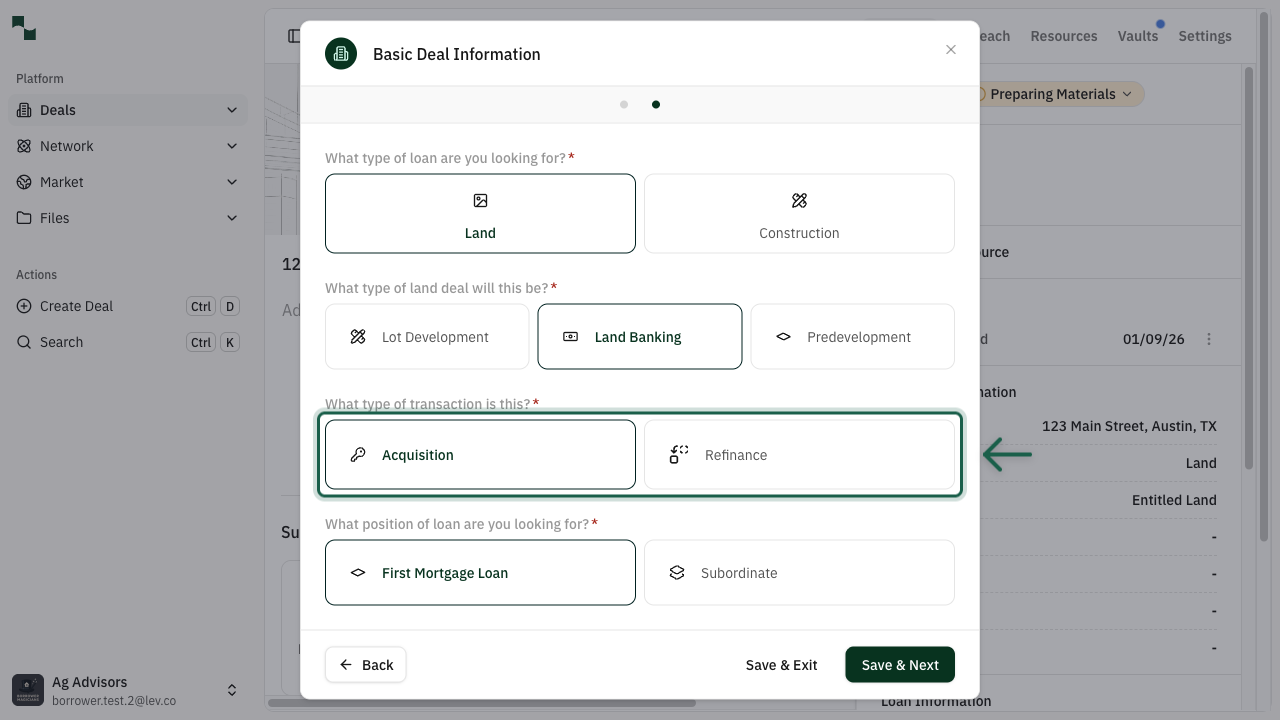
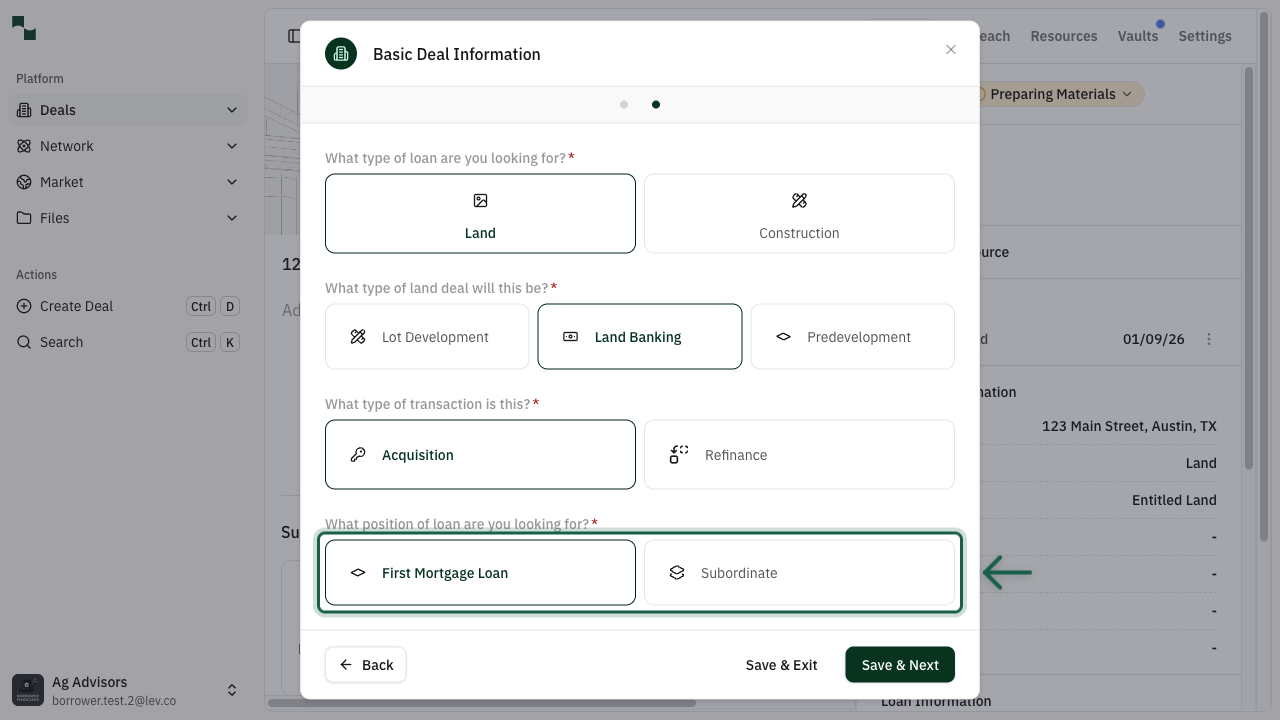
Next, configure the transaction details:
Transaction Type
Loan Position
Click Save & Next to proceed to the Financial Information step.
- Acquisition: You are purchasing the land and need financing for the purchase
- Refinance: You already own the land and want to refinance existing debt or take cash out
- First Mortgage Loan: Primary loan secured by the property (most common)
- Subordinate: Secondary financing behind an existing first mortgage
Financial Details
Enter Financial Information
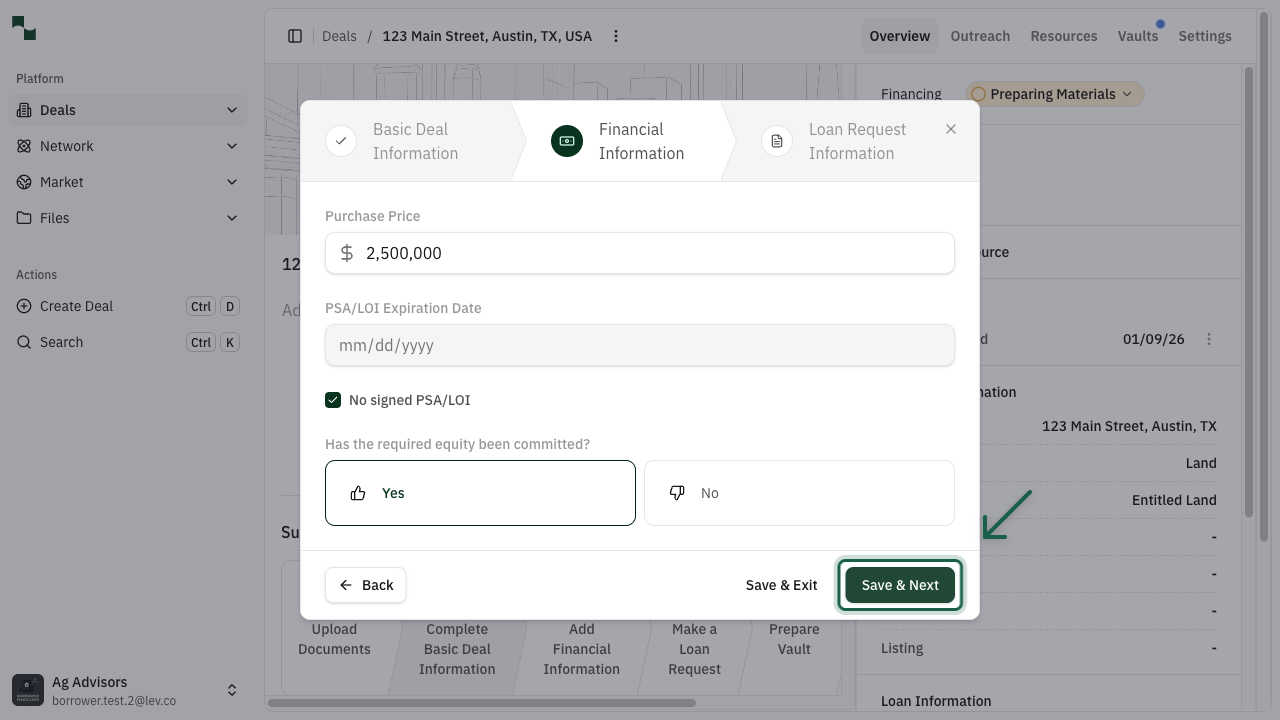
The Financial Information step collects key financial data about your deal:
Fill in the required fields and click Save & Next to proceed.
- Purchase Price: The agreed-upon price for the land (for acquisitions)
- PSA/LOI Expiration Date: When your purchase agreement expires
- No signed PSA/LOI: Check this if you don't have a signed agreement yet
- Required Equity Committed: Confirm if you have the required equity available
Loan Request
Configure Recourse Options
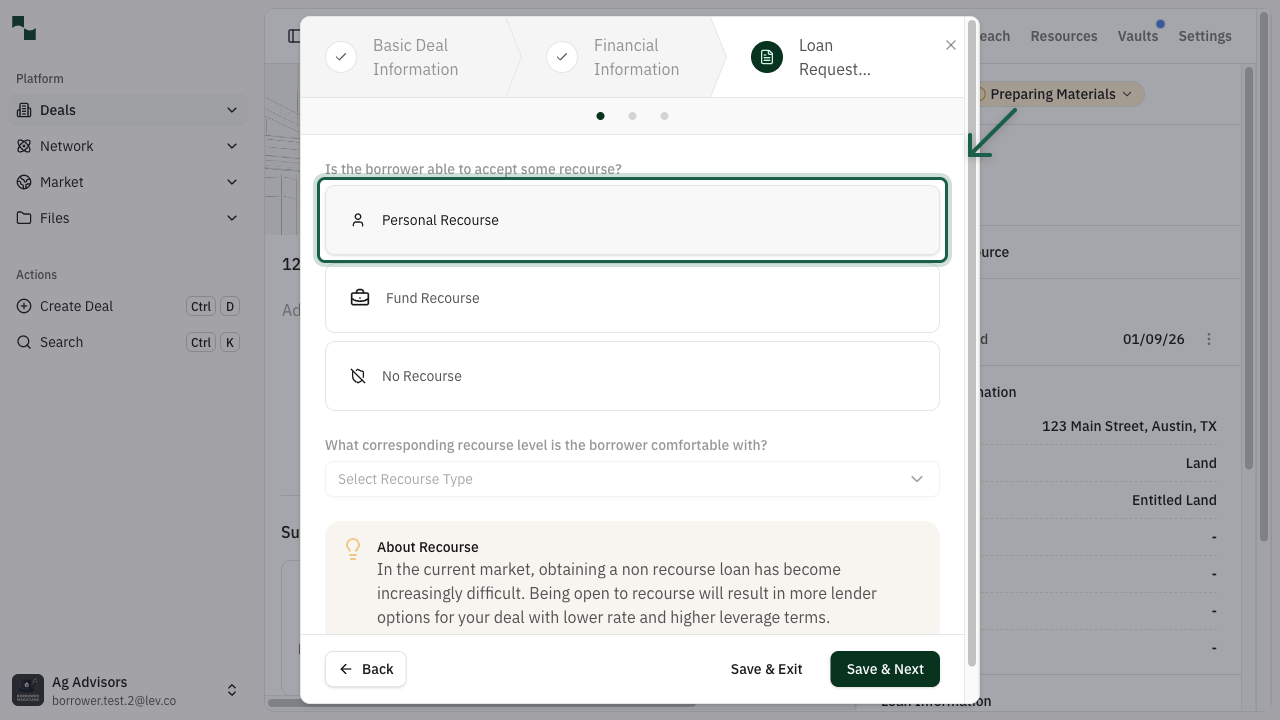
The Loan Request Information step begins with recourse configuration. Recourse determines your personal liability for the loan:
| Recourse Type | Description |
|---------------|-------------|
| Personal Recourse | The borrower personally guarantees the loan. Offers lower rates and higher leverage but increases personal liability. |
| Fund Recourse | A fund or entity provides the guarantee. Common for institutional borrowers. |
| No Recourse | No personal guarantee required. May result in lower leverage and higher rates in the current market. |
After selecting a recourse type, choose the corresponding recourse level (Burn off, Partial, or Full) and click Save & Next.
About Recourse
In the current market, obtaining a non-recourse loan has become increasingly difficult. Being open to recourse will result in more lender options for your deal with lower rates and higher leverage terms.
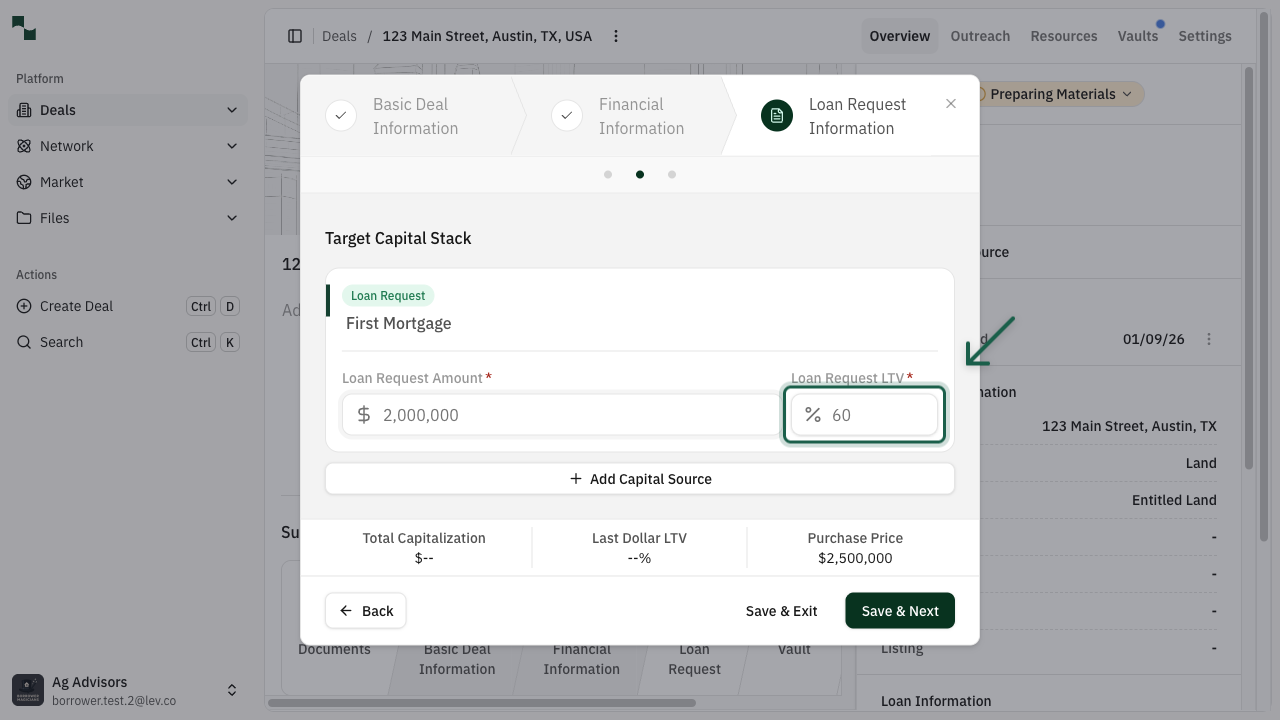
Configure Capital Stack
The final step is configuring your capital stack - the loan amount and leverage you're requesting:
You can also add additional capital sources if needed using the Add Capital Source button.
Click Save & Next to complete the loan request configuration.
You have successfully created and configured your Land deal. Here's what you've accomplished:
Next Steps: Select lenders from the suggested list and launch your deal to start receiving quotes.
- Loan Request Amount: The dollar amount you're requesting to borrow
- Loan Request LTV: The loan-to-value ratio (typically 50% for land banking deals)
LTV Guidelines for Land Deals
Land Banking deals typically have a maximum LTV of 50%. Lot Development and Predevelopment deals may qualify for higher leverage depending on the project and lender.
You're All Set!
- Created a new deal with property information
- Configured the asset type as Land with appropriate subtype
- Selected your loan type and land deal type
- Entered financial information including purchase price
- Configured recourse preferences and capital stack