Learn about the different deal statuses in Lev and how they help you track your financing progress.
Reading time: ~5 minutes | Sections: 6 | Updated: January 2026
Overview
1. Viewing Deal Status
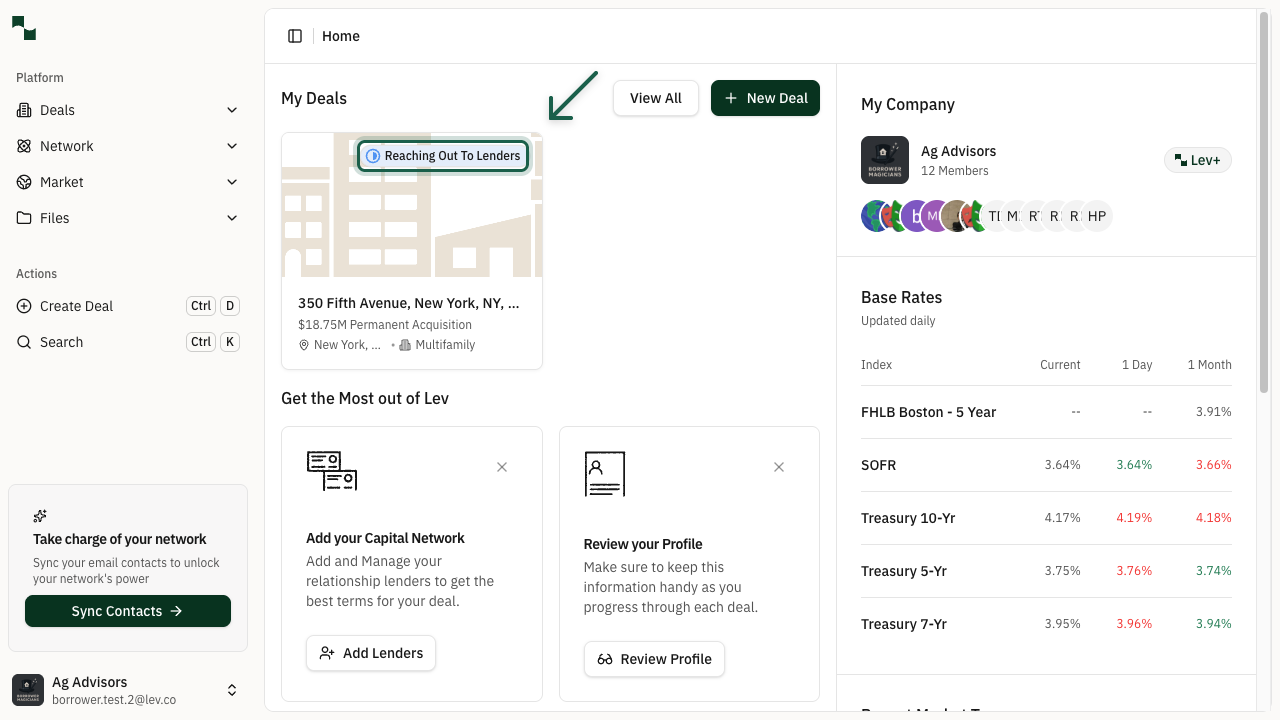
Deal statuses help you track where each deal is in the financing process. You can see the current status of a deal in several places:
- Dashboard: Deal cards display status badges
- Deal Overview: The Pipeline Status section shows the current status
- Kanban View: Deals are organized by status columns
2. Kanban View
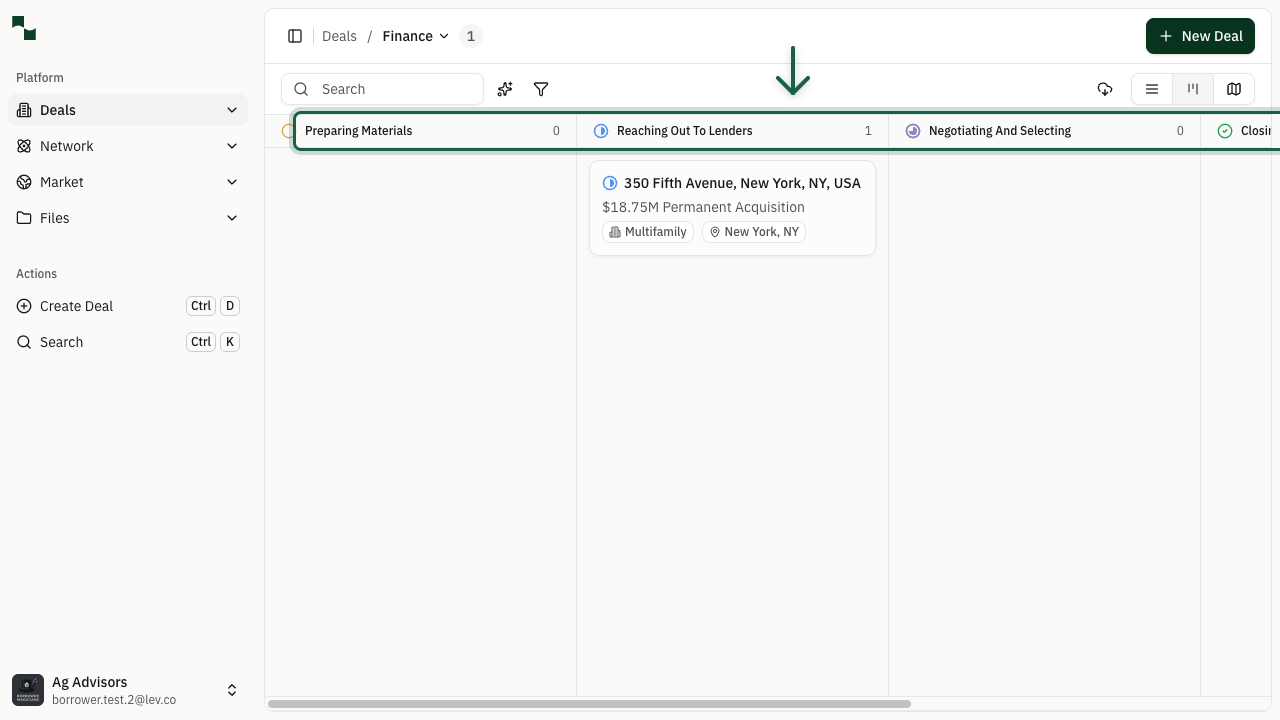
The Kanban view provides a visual overview of all your deals organized by status. Each column represents a different deal status, making it easy to see how many deals are at each stage of the process.
To access the Kanban view:
- Navigate to Deals from the sidebar
- Click the Kanban view icon in the view toggle
Deal Statuses
3. Understanding Status Types
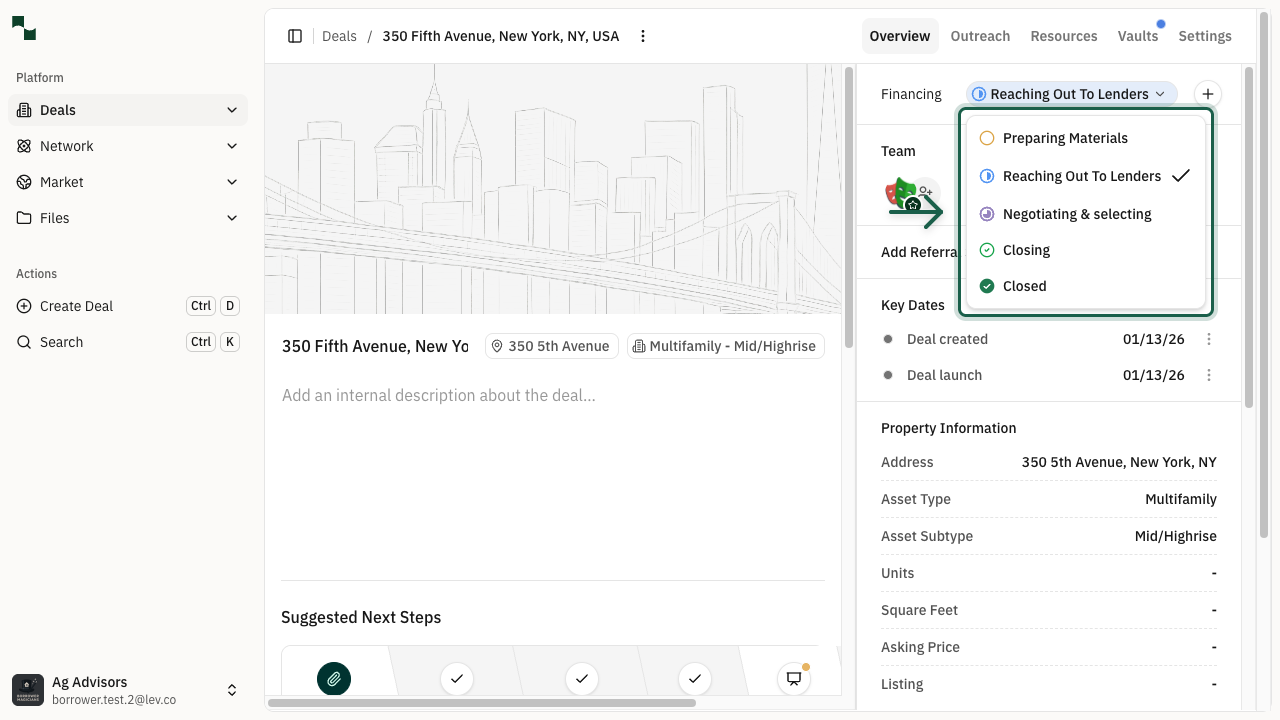
Your deal progresses through several statuses as it moves from initial preparation to closing:
Preparing Materials
The initial status when you're setting up your deal. During this phase:
- You can edit all deal information freely
- Deal information is not yet shared with lenders
- Take time to ensure all details are accurate before launching
Reaching Out To Lenders
Your deal moves to this status once you've launched and emailed lenders. At this point:
- Deal information is locked to ensure consistency across lenders
- Auto follow-ups are enabled to help maintain engagement
- At least one placement is in "sent" or "launched" status
Negotiating & Selecting
When lenders start responding with terms, your deal moves here:
- At least one placement has received terms
- Review and compare offers from different lenders
- Use this time to negotiate better terms
Closing
You've selected a lender and are working toward closing:
- At least one placement is in "closing" status
- Auto follow-ups are disabled at this stage
- Focus on finalizing documentation and meeting closing requirements
Closed
Congratulations! Your deal has successfully closed:
- At least one placement has reached "closed" status
- The financing process is complete
- Deal records are preserved for your reference
Archived
Deals that are no longer active can be archived:
- Archived deals can be restored to any prior status
- Any placements with launch emails sent are also archived
- Use this for deals you want to pause or that didn't proceed
4. Changing Deal Status
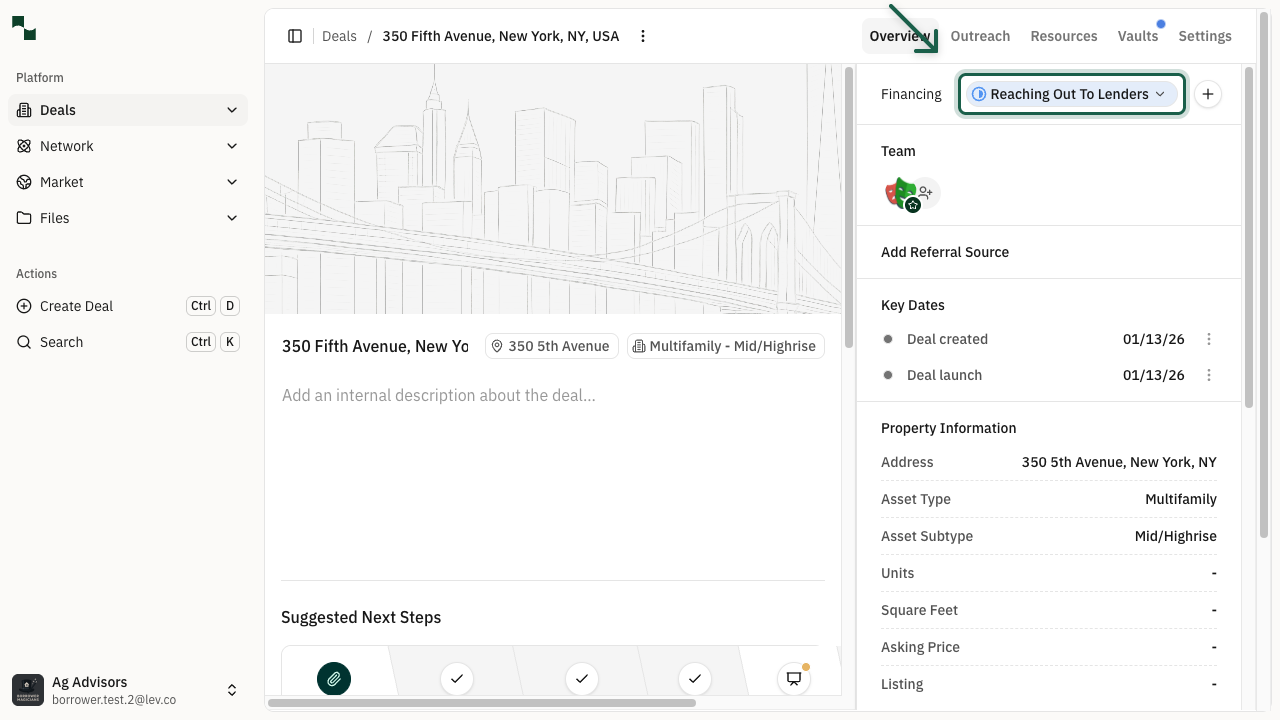
While most status changes happen automatically, you can manually update the status when needed:
- Open the deal you want to update
- Find the Pipeline Status section in the right sidebar
- Click on the current status dropdown
- Select the new status from the available options
Note: Some status changes may require specific conditions to be met, such as having a placement in the appropriate state.
Key Information
5. Automatic Status Updates
Lev automatically updates your deal status based on placement activity:
- Preparing Materials → Reaching Out: When lenders are emailed
- Reaching Out → Negotiating: When terms are received
- Negotiating → Closing: When a placement moves to closing
- Closing → Closed: When a placement is marked as closed
Tip: Automatic updates ensure your deal status always reflects the current state of your placements without manual intervention.
6. Auto Follow-ups
Understanding how auto follow-ups work with deal statuses:
- Enabled: Auto follow-ups are activated when your deal reaches "Reaching Out To Lenders" status
- Disabled: Auto follow-ups are deleted when your deal moves to "Closing" status
- Re-enabled: If you move a closing placement back to terms received or archived, auto follow-ups are re-enabled
Note: When you manually move a placement to "Lender Reviewing," auto follow-ups are also deleted for that placement.
You're All Set!
- You understand the different deal statuses in Lev
- You know how deals automatically progress through statuses
- You can manually change status when needed
- You understand how auto follow-ups relate to deal statuses