Learn how to modify the date and time of a scheduled deal launch.
Editing Your Schedule
Find Your Scheduled Launch
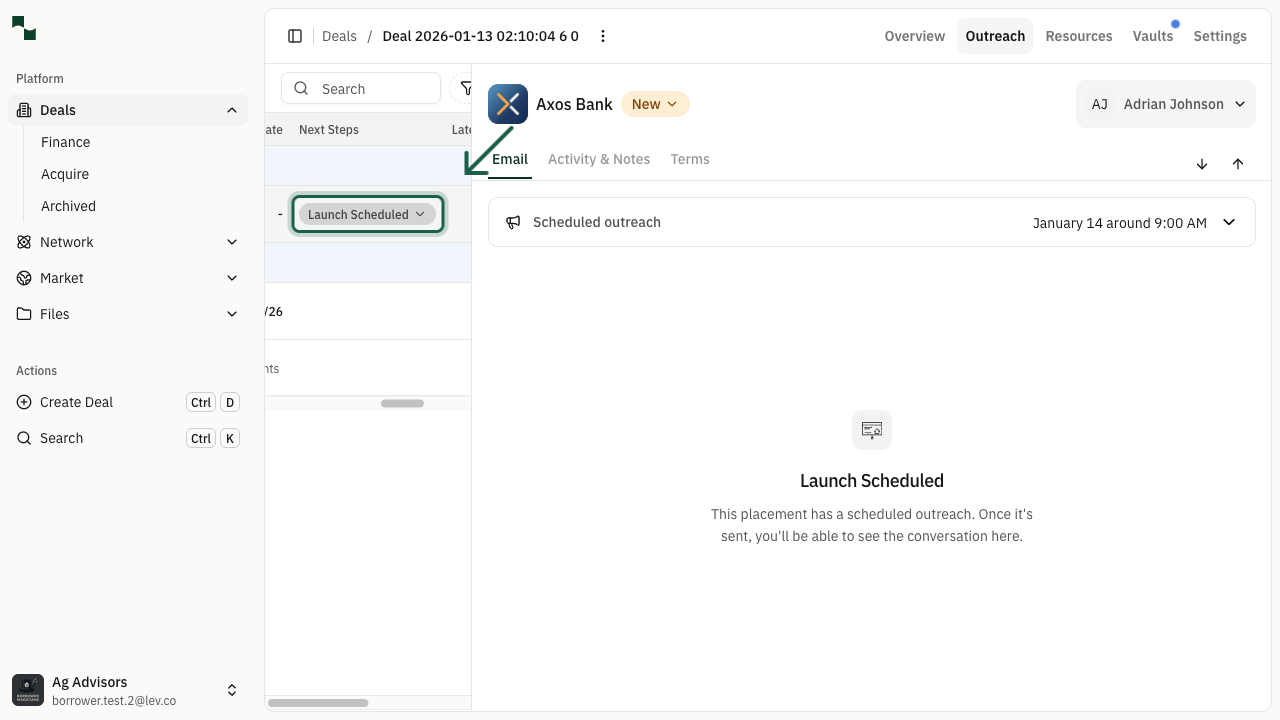
Navigate to the Outreach tab of your deal. In the lender table, locate the placement with a scheduled launch. You'll see a Launch Scheduled status in the Next Steps column.
Location: Deal > Outreach Tab > Lender Table
Open the Schedule Options Menu
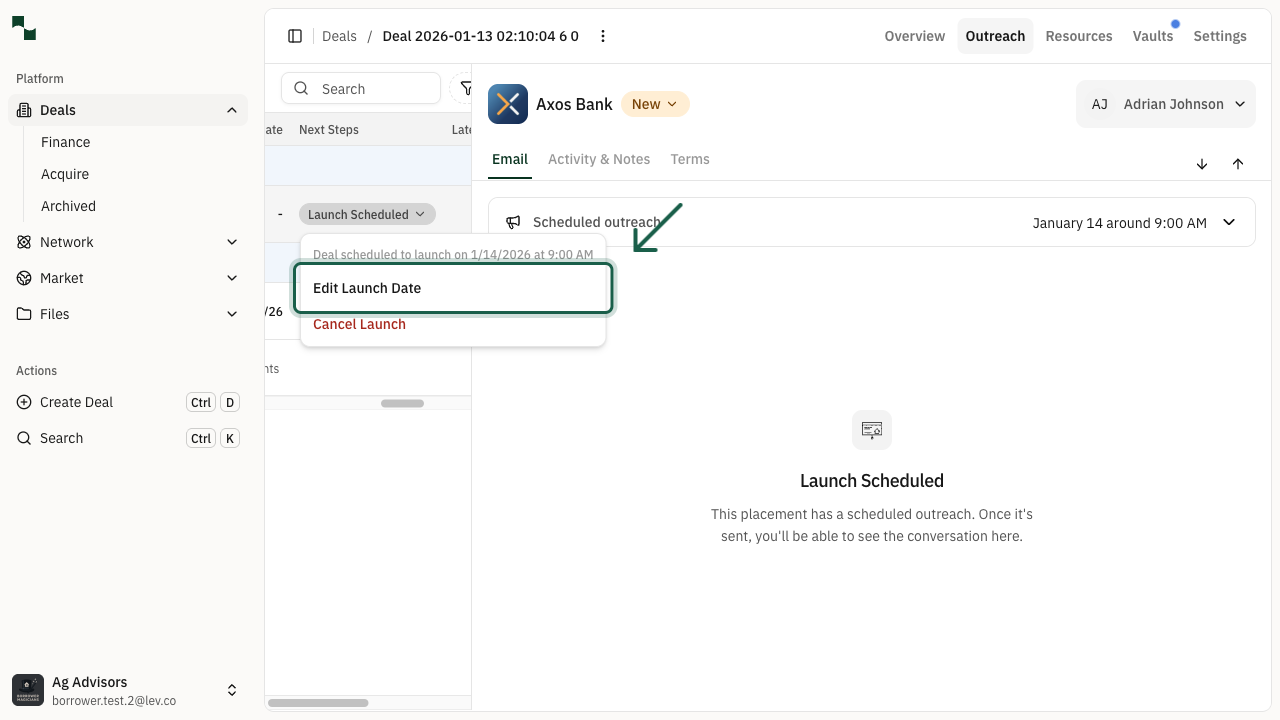
Click on the Launch Scheduled button to open the dropdown menu. You'll see the current scheduled date and time, along with options to edit or cancel the launch.
Select Edit Launch Date to modify the scheduled time.
Location: Launch Scheduled > Edit Launch Date
Update the Schedule
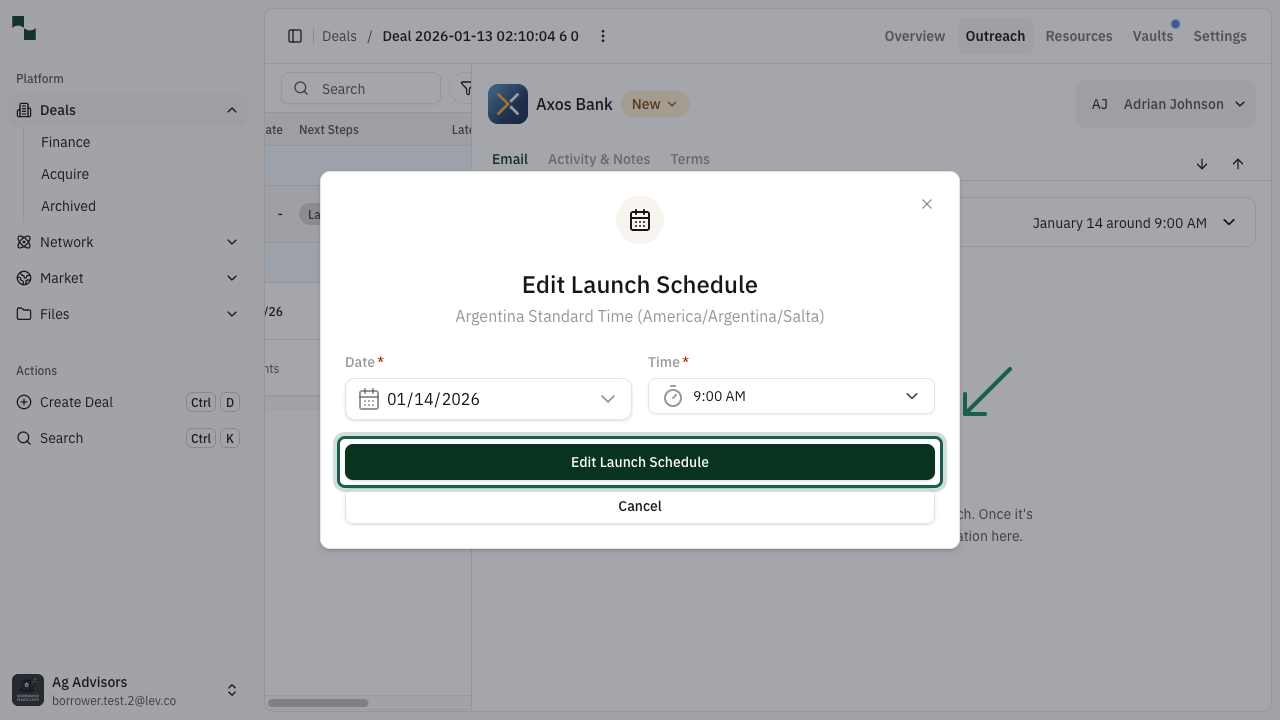
The Edit Launch Schedule modal will appear with the current scheduled date and time. Use the date picker and time dropdown to select your new preferred launch time.
| Field | Description |
|-------|-------------|
| Date | Select the new date for the launch using the date picker |
| Time | Choose the time from the dropdown (displayed in your local timezone) |
After selecting your new date and time, click the Edit Launch Schedule button to save your changes.
Tip: The timezone shown reflects your account settings. Consider scheduling during business hours when lenders are most likely to review their inbox.
You're All Set!
- Your scheduled launch has been updated to the new time
- The lender row will continue showing "Launch Scheduled" status
- You can edit or cancel the launch again if needed before it sends