Introduction
Lev Memo lets you upload documents, data, and photos to power your Memo. Lev extracts the facts from your documents and uses them as the primary source for your Memo. The better the inputs, the better the outputs!
Tip: Recommended Files
Better data uploaded yields a better Memo output.
- Sources and Uses
- Underwriting / Financial Model
- Operational Financial Data (T-12, Rent Roll, Performa, Budget)
- Sales and Lease Comparables
- Property Photos / Renderings / Floor Plans
Where to upload documents
Upload early
Uploading when you create the deal is the recommended path: processing starts right away and usually shortens Memo turnaround.
Three entry points — pick the one that fits where you are in the flow.
- When you create a deal - Go to the Lev Platform and click create a new deal in the left sidebar.
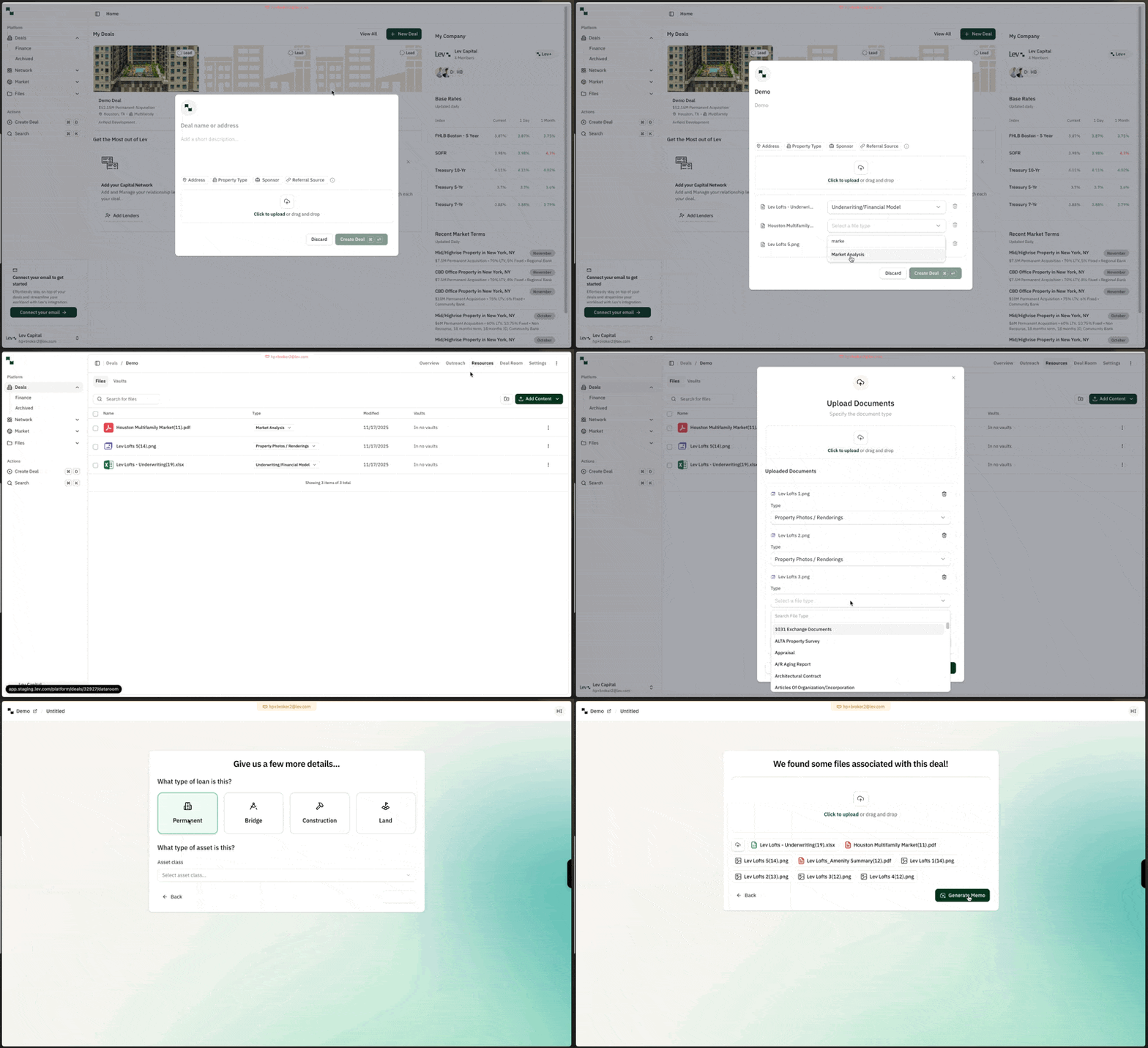
- From a deal's Resources tab - Open any deal, go to the Resources tab (top right), then click Add content.
- In the Memo chat - When you create a Memo, Lev Agent uses the files already on the deal. If it needs more information, it asks you to upload files such as a rent roll or T12 directly in the chat.
Upload documents
Tip: Supported Files
- Photo files (JPG, JPEG, PNG, and similar)
- Standard documents (.doc, .docx, PDF)
- Excel files
- Select your files - Upload as many documents as you want — hold Ctrl (PC) or Cmd (Mac) and click to multi-select.
- Pick file types and upload - Choose a file type where prompted, then click Upload.
FAQ
Can I upload more than 1 document at once?
- Yes! You can click on multiple documents at once for upload. Hold down the Ctrl (PC) or Cmd (Mac) key while clicking to select multiple files.
Can I choose which documents are used for which sections?
- Not today, but we hope to support this in the near future!
What happens if I update / delete an uploaded document?
- Unfortunately we do not automatically detect any changes to uploaded documents in Lev Memo today
- You will need to delete the original file from your deal, re-upload the document, and then recreate the Memo again.
Can Lev Memo connect to other CRE data sources?
- Not today, Lev Memo creates Memos primarily based on your documents. We are looking to explore this in the future.