Learn how to cancel a scheduled deal launch before it's sent to lenders.
Canceling Your Launch
Find Your Scheduled Launch
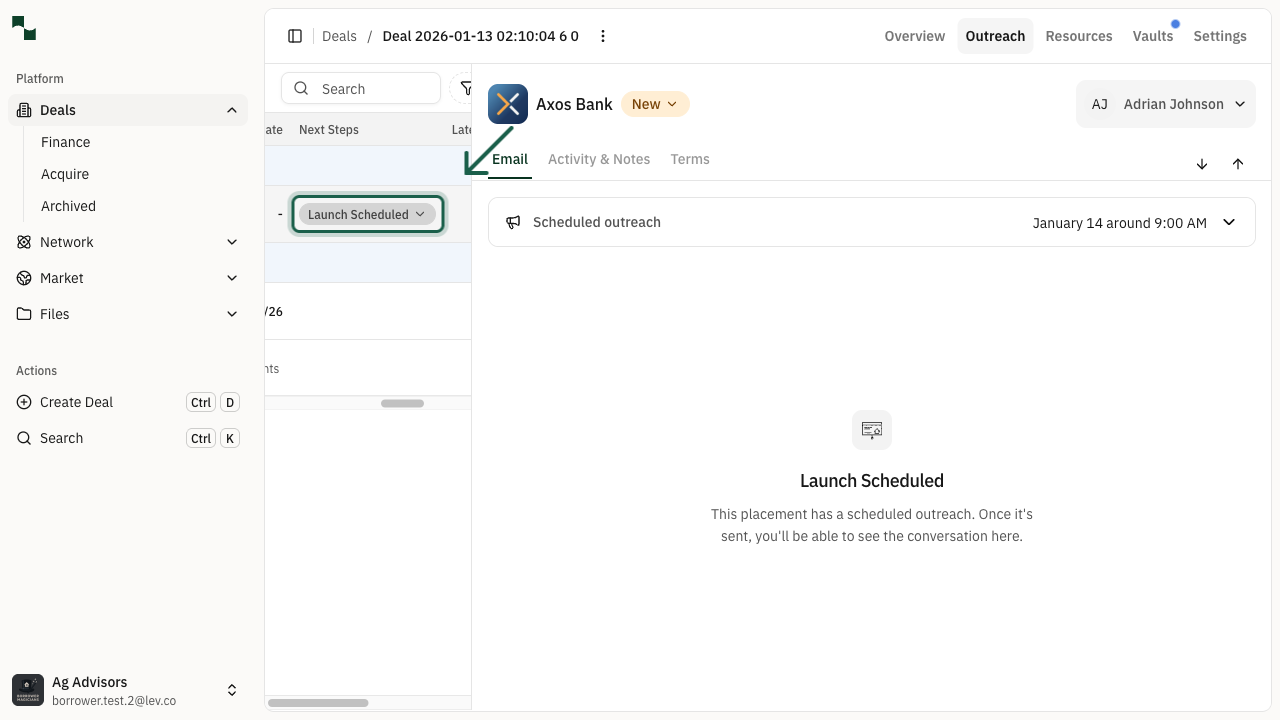
Navigate to the Outreach tab of your deal. In the lender table, locate the placement with a scheduled launch. You'll see a Launch Scheduled status in the Next Steps column.
Location: Deal > Outreach Tab > Lender Table
Select Cancel Launch
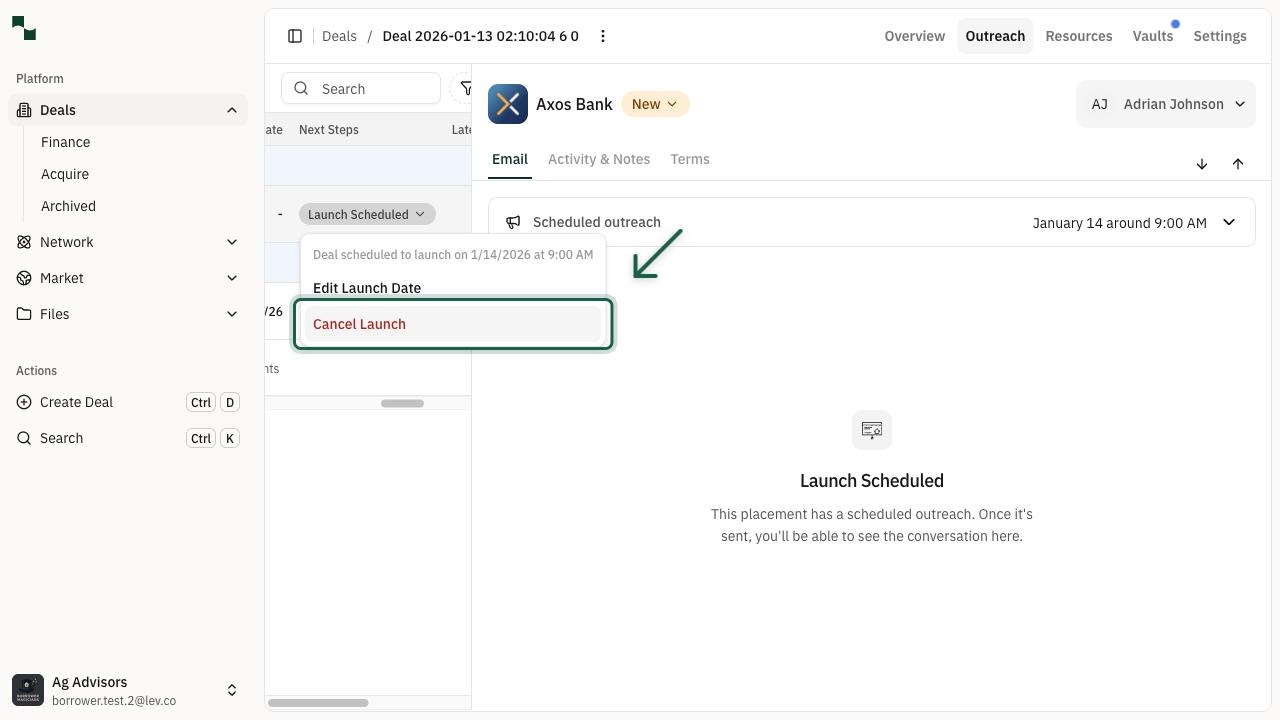
Click on the Launch Scheduled button to open the dropdown menu. You'll see the current scheduled date and time, along with options to edit or cancel the launch.
Select Cancel Launch from the menu. Note that this option is displayed in red to indicate it's a destructive action.
Location: Launch Scheduled > Cancel Launch
Confirm Cancellation
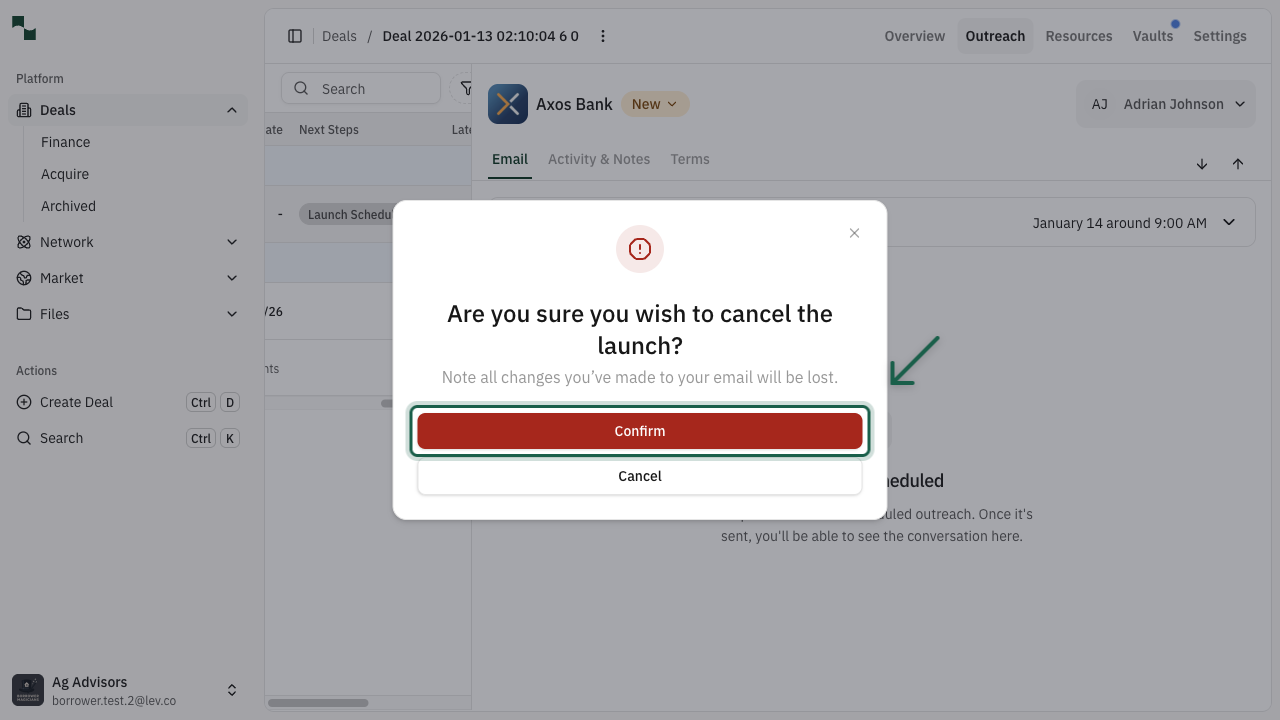
A confirmation dialog will appear asking you to confirm the cancellation. This is to prevent accidental cancellations.
Click Confirm to cancel the scheduled launch, or click Cancel to go back without making changes.
Important: Canceling the launch will remove the scheduled outreach. Any customizations you made to the email will be lost. You can schedule a new launch later if needed.
You're All Set!
- The scheduled launch has been canceled
- The lender status will change back to "New"
- You can schedule a new launch or send immediately at any time