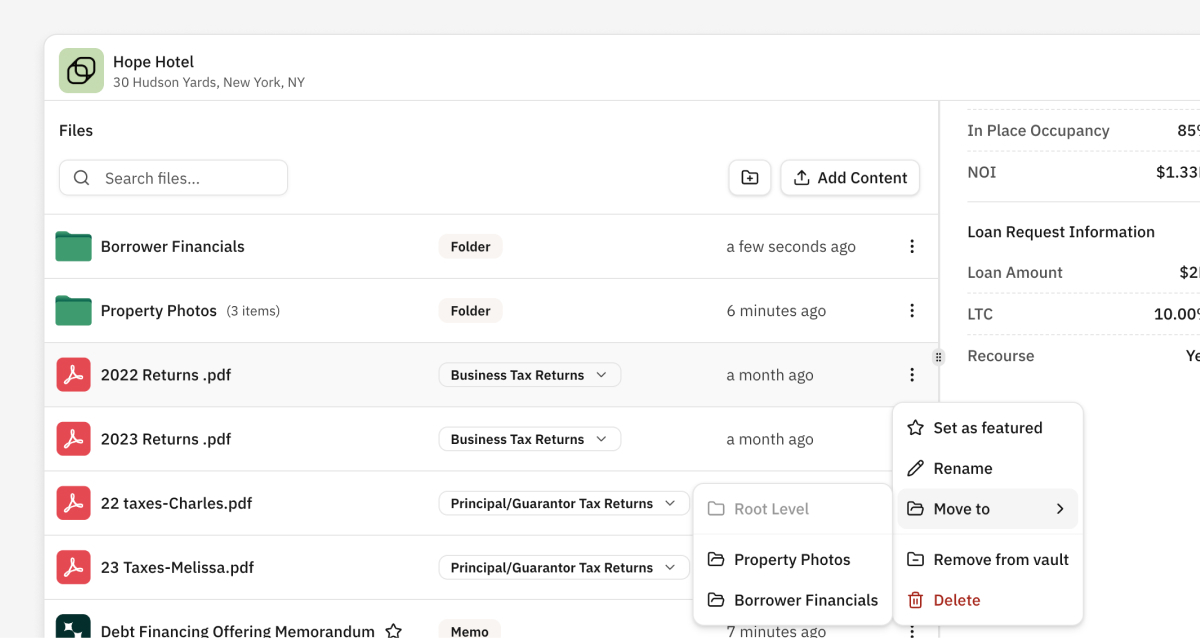
Vaults support folders so you can control how files appear to lenders. Folder structures in Vaults are unique to each Vault and do not reflect the structure of the Deal.
Create a Folder in a Vault
Create a Folder in a Vault to organize Files in that specific Vault. This does not create the Folder in your Deal, or any other Vault on the Deal.
- Open the Vault.
- Click the

- Name the folder.
Move a File into a Folder in a Vault
Create a Folder in a Vault to organize Files in that specific Vault. This does not create the Folder in your Deal, or any other Vault on the Deal.
- Open the Vault.
- Click the
⋮button next to File you would like to move. - In the Menu, click Move to, and select the designated Folder.