Contact Syncing allows you to leverage any pre-existing lender contacts you have by adding them to your internal network within the Lev platform. You can also add these contacts to any deals you launch through Lev once they've been imported to your network.
Step-by-Step Instructions
Enable Contact Syncing
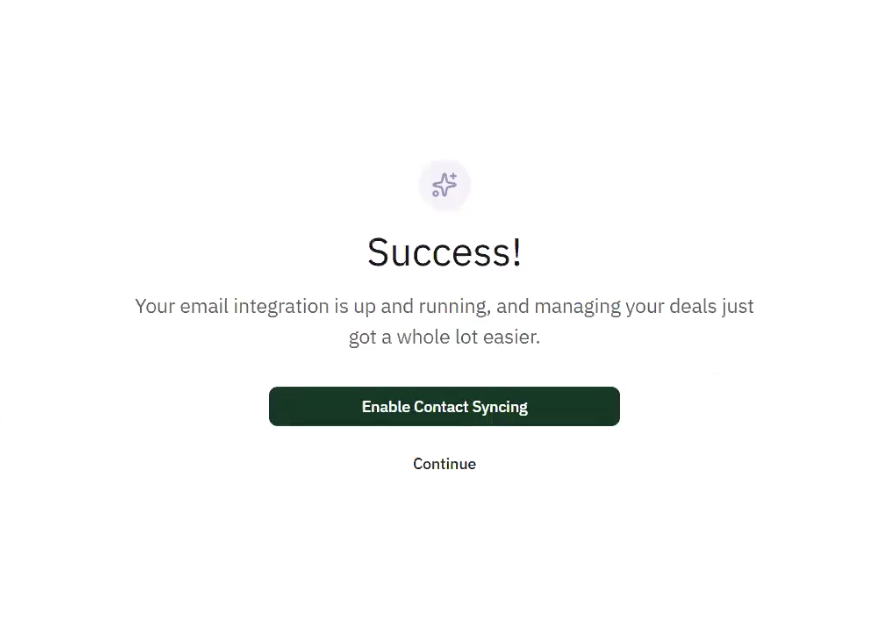
After finishing email integration the platform will prompt you to transfer your lender contacts, click Enable Contact Syncing to begin this process.
Wait for Contact Identification Process to Complete
Next the platform will identify any lender contacts linked to your email address based on the contact's email domain. If this matches the domain of any of the 7,000+ lenders registered to Lev, the platform will know to import the corresponding contact.
Processing Time
Depending on the amount of contacts the platform identifies, this process typically takes 5-10 minutes.
Review Identified Contact Matches
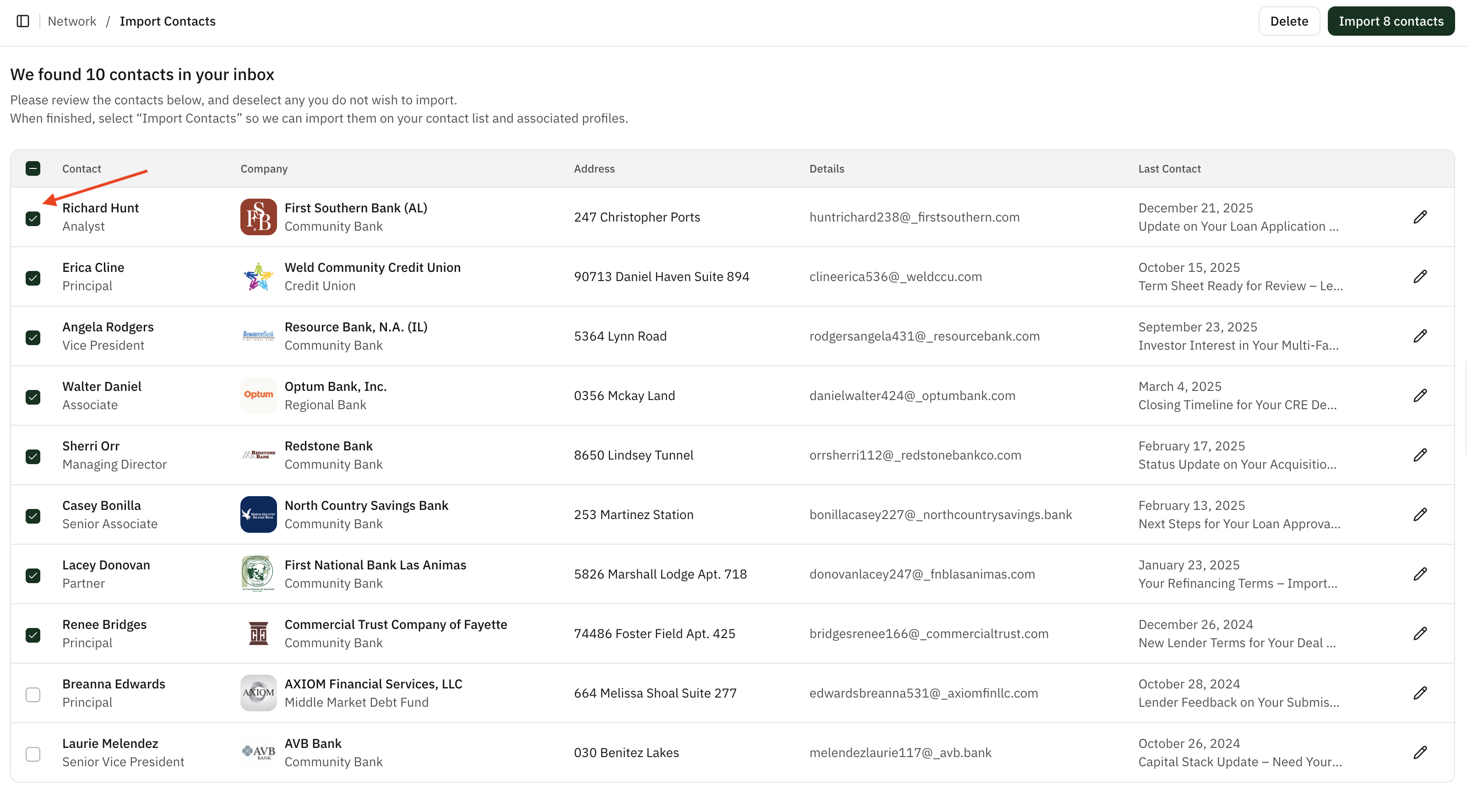
You will then have an opportunity to review the contacts identified by Lev before adding them to your internal network. Check the box next to the contacts you would like to add.
Fill in Missing Contact Information
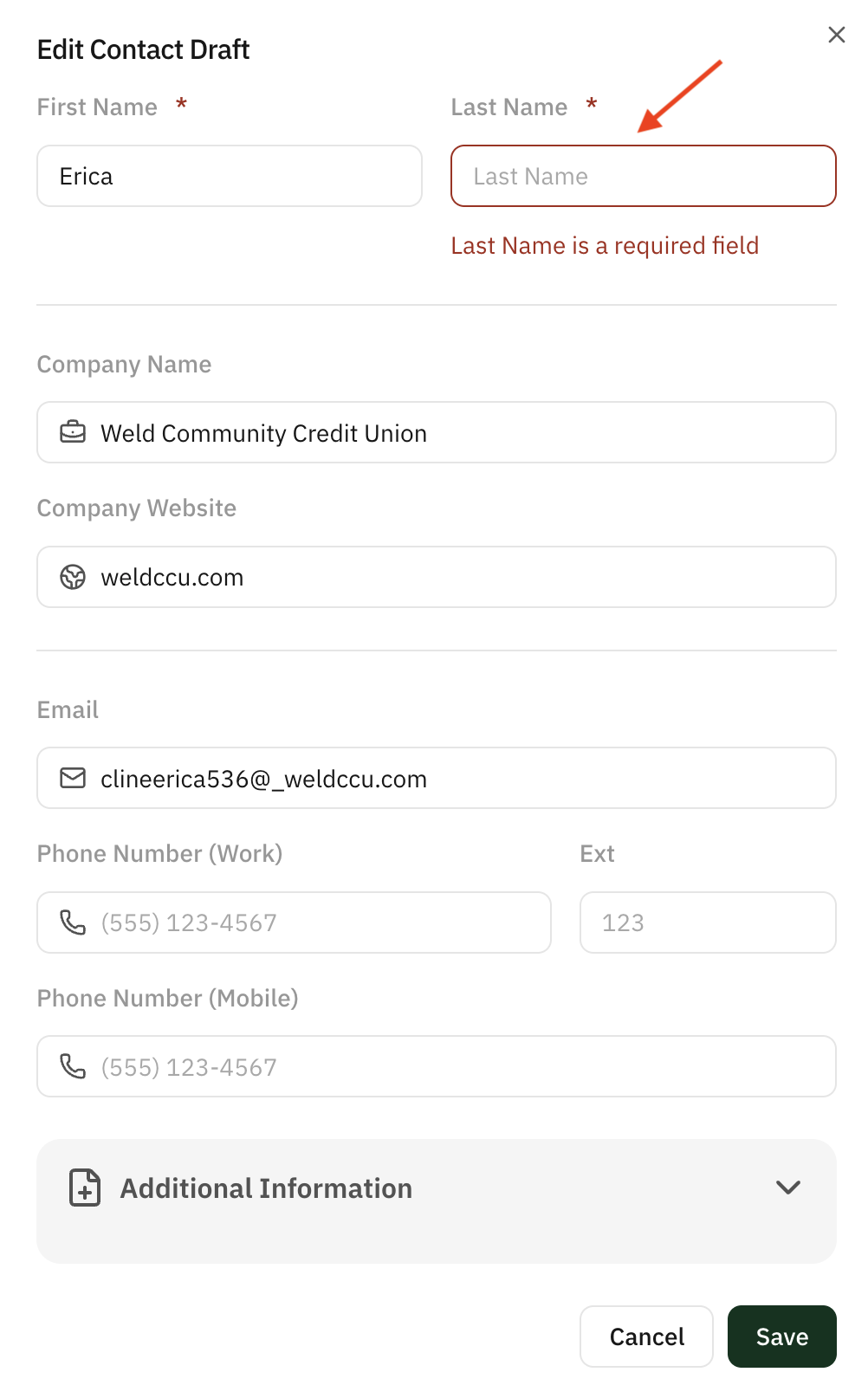
If any of the required fields are left blank, you can fill in the missing information from by clicking into the contact.
Finish Importing Contacts
After populating the missing fields, click the Import button in the top right to finish the sync.
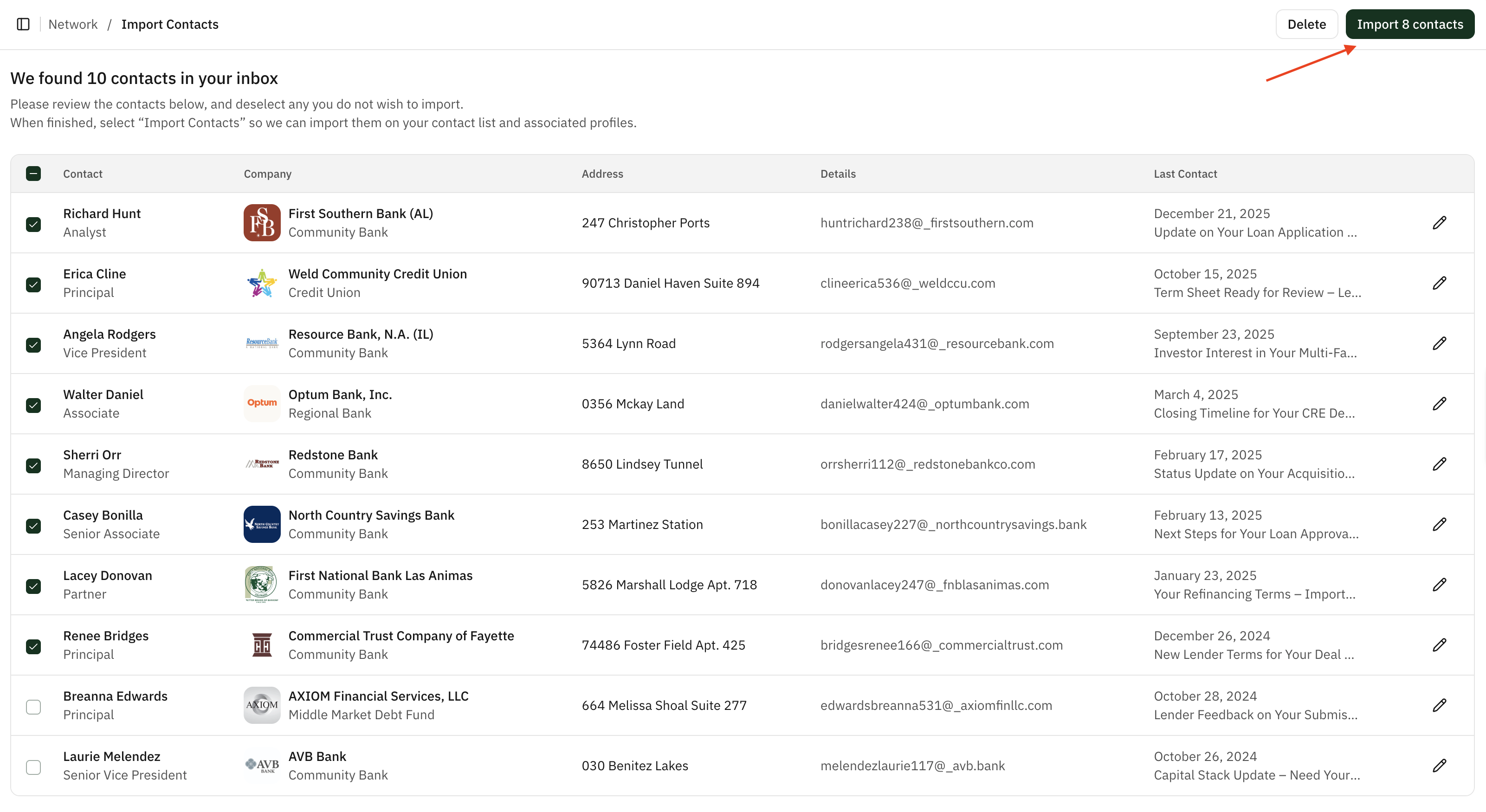
Your lender contacts will now be available from the Network tab. You can always add more contacts at any time.