Lev generates a professional outreach email for your deal, but you can customize it to match your voice and highlight key points before sending to lenders.
Step-by-Step Instructions
Go to Outreach
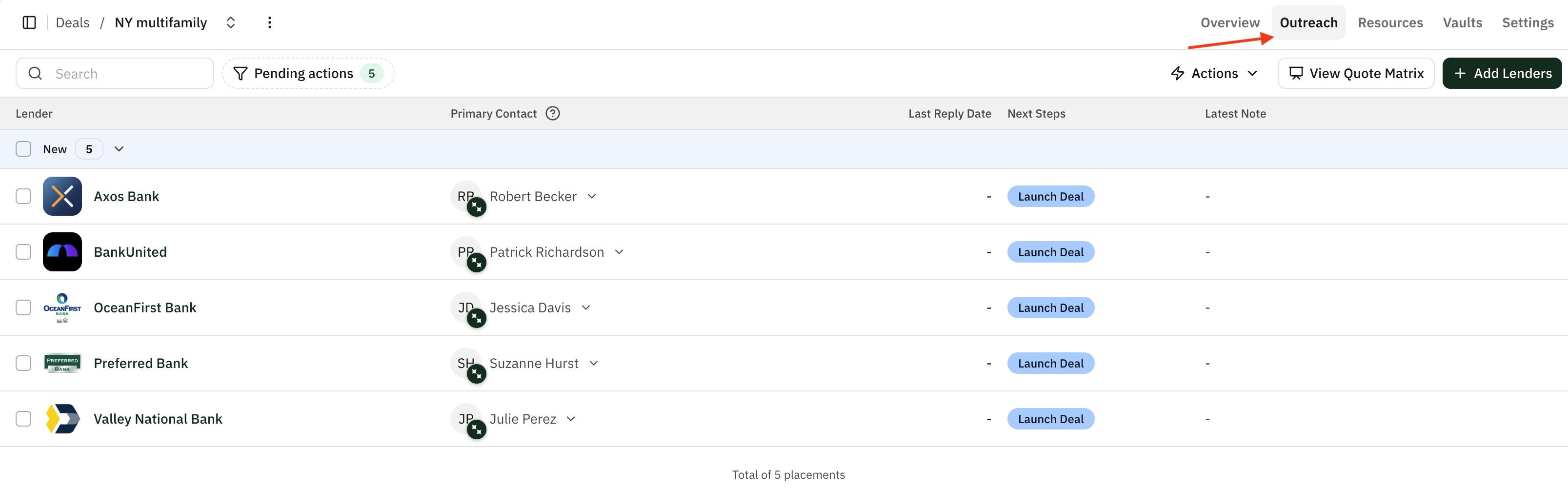
From your deal, click the Outreach tab to view your placement table with the lenders you've selected.
Launch to New Lenders
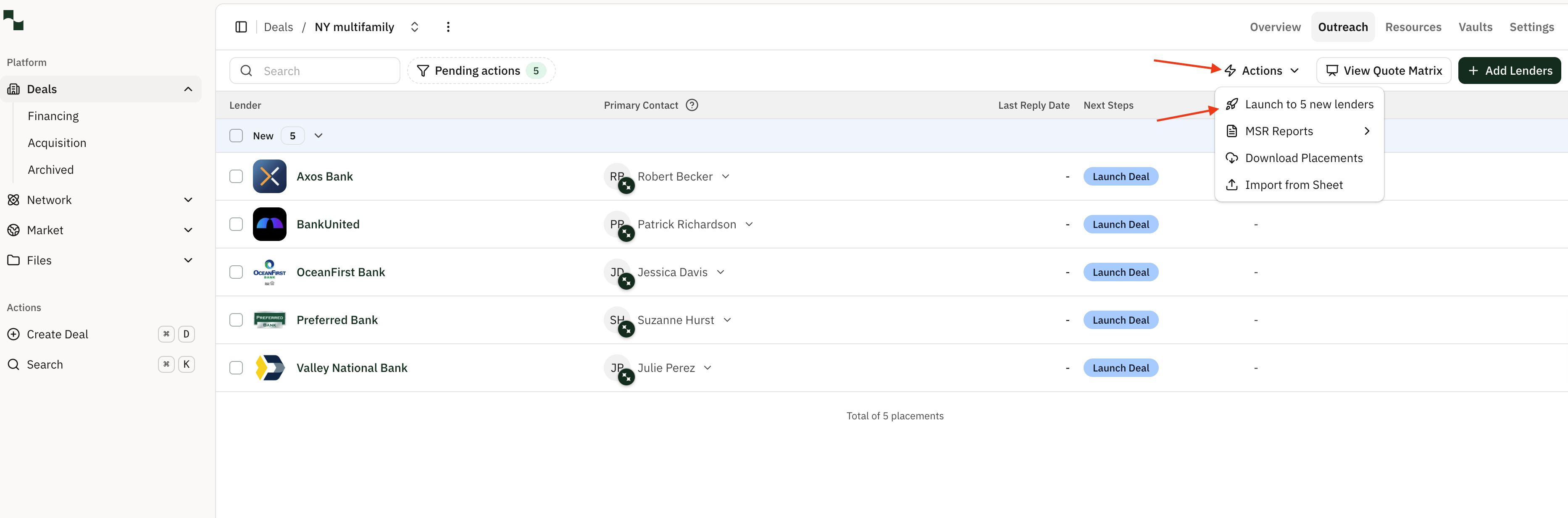
Click the Actions button in the top right of the Outreach tab, then select Launch to new lenders from the dropdown menu. This opens the bulk email composer where you can write and customize the outreach message that will be sent to all selected lenders.
Edit Your Subject Line
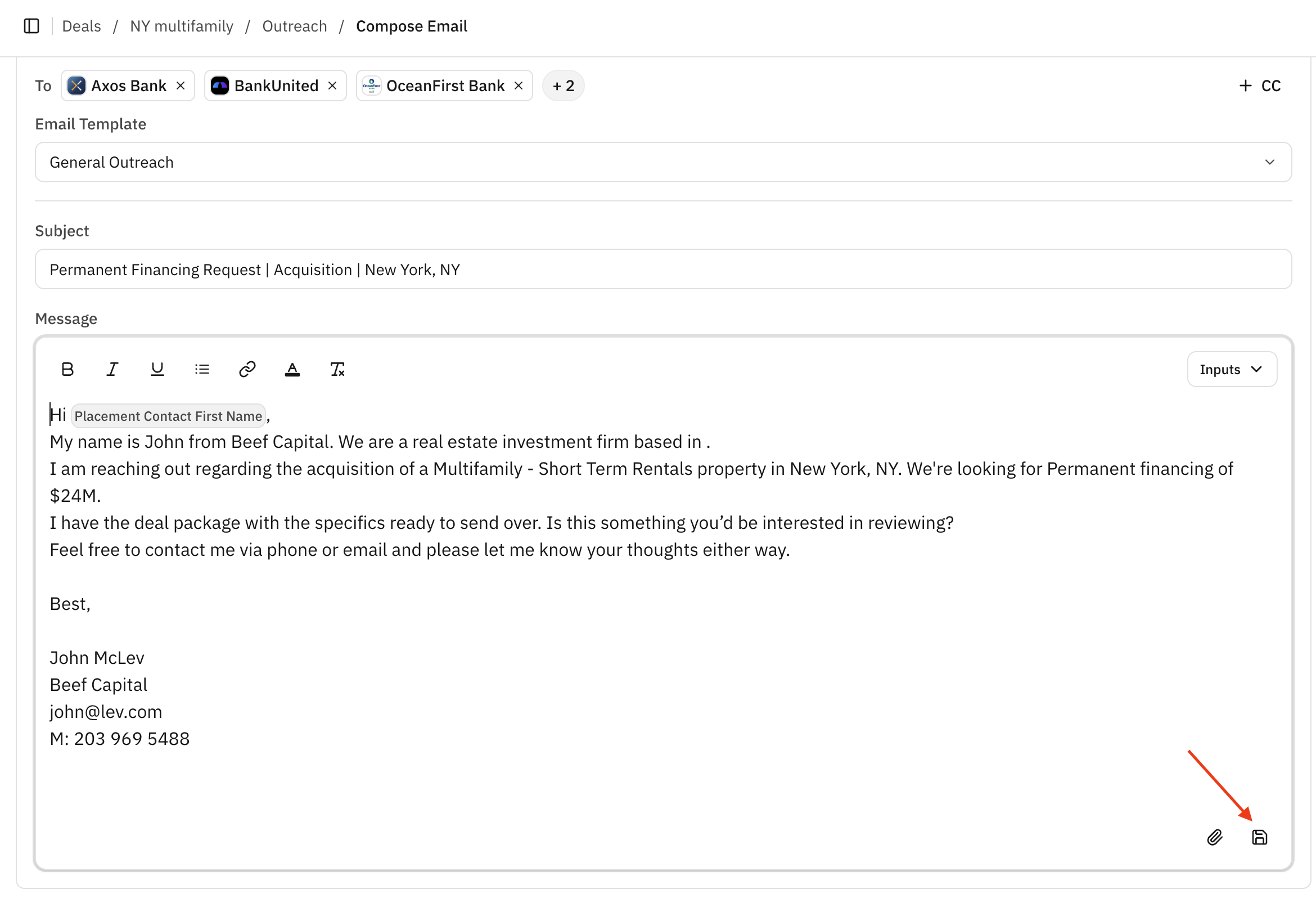
Review and customize the email subject line. Lev auto-generates a subject based on your deal details (e.g., "Permanent Financing Request | Acquisition | New York, NY"). Edit it to best represent your deal and capture lender attention. Keep it clear, specific, and professional.
Customize Your Email Body
Click directly into the email body to edit the messaging template that will be used for all lenders receiving this email. We recommend including some basic deal information such as the property type, market, loan type, and loan request amount to give lenders a clear picture of your deal at a glance.
Dynamic Fields
Dynamic fields are highlighted in grey within the email body. These fields (such as the lender contact's first name) will change automatically based on the corresponding information for each recipient. You do not need to edit these manually.
Save as Template
Click the save button in the bottom right of the email body to save this email's format as a template that can be accessed for future deals.
Avoid Attachments on First Contact
We recommend avoiding links or attachments in emails you are sending to lenders for the first time. Lenders tend to have strict email policies with new contacts, and including attachments can reduce your email deliverability.
Preview Your Email
Click Preview & Send in the top right to open the Review page. Here you can see exactly how the email will appear from each recipient's perspective. Use the lender tabs at the top to toggle between different lenders and verify that dynamic fields are populating correctly.
View Auto Follow-Up Settings
Click Next in the top right to view your auto follow-up settings. From here you can configure automatic follow-ups for lenders who haven't responded.